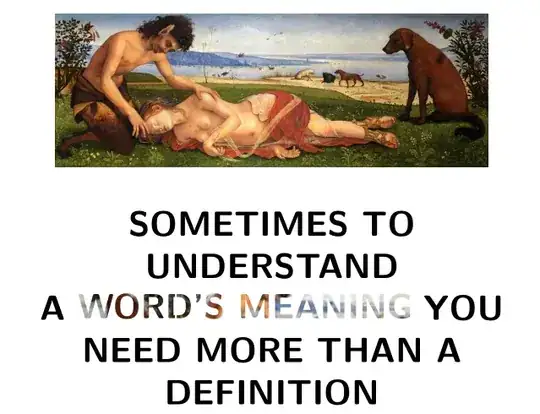
It is quite simple – just a couple of lines of code — with pstricks, more precisely with the pst-text and pst-fill packages.
Also, with auto-pst-pdf, it works with pdflatex if you add to the compiler the switch -shell-escape (for TeX Live, MacTeX) or --enable-write18 (MiKTeX):
\documentclass[12pt]{article}
\usepackage[utf8]{inputenc}
\usepackage{pst-text, pst-fill, auto-pst-pdf}%
\usepackage{graphicx}

\begin{document}

\centering
\includegraphics[scale=0.4]{Piero_di_Cosimo_1}\medskip

\Huge\sffamily\bfseries
\begin{center}
SOMETIMES TO UNDERSTAND \\
A \begin{pspicture}\psboxfill{\includegraphics{Piero_di_Cosimo.eps}}%
    \pscharpath[fillstyle=boxfill, linestyle=none]{ WORD’S MEANING}
    \end{pspicture} YOU \\
NEED MORE THAN A \\
DEFINITION
\end{center}

\end{document}