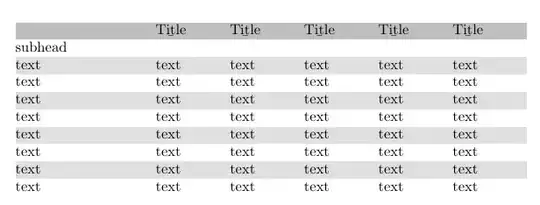
Here are banded rows, thanks to this answer and use of xcolor package:
\documentclass{minimal}
\usepackage[table]{xcolor}    % loads also »colortbl«
\begin{document}
\rowcolors{2}{gray!25}{white}
\begin{tabular}{ | p{3.40cm} | *{5}{p{1.8cm}}|}  \hline
\rowcolor{gray!50} % comment out if you don't want top row colored
\ & \b{Title} & \b{Title} & \b{Title} & \b{Title} & \b{Title}  \\
\hline
\hline
\multicolumn{6}{|l|}{subhead} \\
\hline {text} & {text} & {text} & {text} & {text} & {text}  \\
\hline {text} & {text} & {text} & {text} & {text} & {text}  \\
\hline {text} & {text} & {text} & {text} & {text} & {text}  \\
\hline {text} & {text} & {text} & {text} & {text} & {text}  \\
\hline {text} & {text} & {text} & {text} & {text} & {text}  \\
\hline {text} & {text} & {text} & {text} & {text} & {text}  \\
\hline {text} & {text} & {text} & {text} & {text} & {text}  \\
\hline {text} & {text} & {text} & {text} & {text} & {text}  \\
\hline
\hline
\end{tabular}
\end{document}


tabularline should read\begin{tabular}{ | p{3.40cm} | *{5}{p{1.8cm}}|} \hline. I.e., you're missing a}after1.8cm. – AML Apr 27 '18 at 13:42