Moved from Stack Overflow
I'm producing various plots with matplotlib and save them as PGF files. These are then imported in my LaTeX file and compiled using the pgf package.
The problem is, I can't seem to render colorbars for some reason. Also web searches came up empty so far, as I'm not quite sure what I'm looking for in terms of bug.
I produce my plot like this
fig = plt.figure()
gs  = gridspec.GridSpec(10, 1)
ax1 = plt.subplot(gs[:7, :])
ax2 = plt.subplot(gs[7:, :], sharex=ax1)

[...]

# plot
sc = *scatter plot of my data*
# colorbar
divider = make_axes_locatable(ax2)
cax = divider.append_axes("right", size="5%", pad=0.05)
plt.colorbar(sc, cax=cax)
# save
fig.set_size_inches(8, 5)
plt.savefig('isotropy-raw.pgf', bbox_inches='tight')
Then I get this

but upon including that in my tex file
\begin{figure}[h!]
  \centering
  \input{path/to/file/isotropy-raw.pgf}
  \caption[x]{x}
  \label{x}
\end{figure}
it compiles this
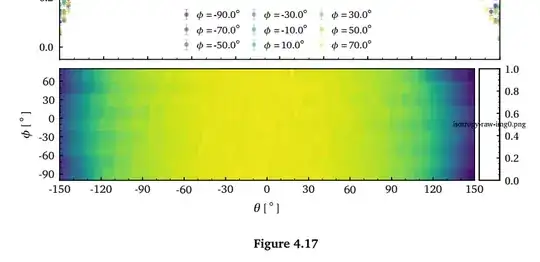
I'm a bit baffled at this point. Any help is appreciated!
EDIT:
Providing an MWE
\documentclass[11pt, a4paper, twoside, openright]{book}
\usepackage{pgf}

\begin{document}
\begin{figure}[h!]
  \centering
  \input{isotropy-raw.pgf}
  \caption{A nice caption}
 \end{figure}
\end{document}
The colorbar png file is created by LaTeX upon compiling.


.pgfand.pngfile? – samcarter_is_at_topanswers.xyz Jun 21 '18 at 17:02Package pgf Warning: File "isotropy-raw-img0.png" not found when defining image "pgflastimage". Tried all extensions in ".pdf:.jpg:.jpeg:.png:" on input line 44183. )– samcarter_is_at_topanswers.xyz Jun 21 '18 at 17:20\begin{document}
\includegraphics{isotropy-raw-img0.png}
\end{document}` works?
– samcarter_is_at_topanswers.xyz Jun 21 '18 at 17:22/subfolder/isotropy-raw-img0.png– Felix Henningsen Jun 21 '18 at 17:24isotropy-ray.pgfin a editor and replace\pgfimage[interpolate=true,width=0.220000in,height=1.210000in]{isotropy-raw-img0.png}by\pgfimage[interpolate=true,width=0.220000in,height=1.210000in]{path/to/file/isotropy-raw-img0.png}. – samcarter_is_at_topanswers.xyz Jun 21 '18 at 17:25