3

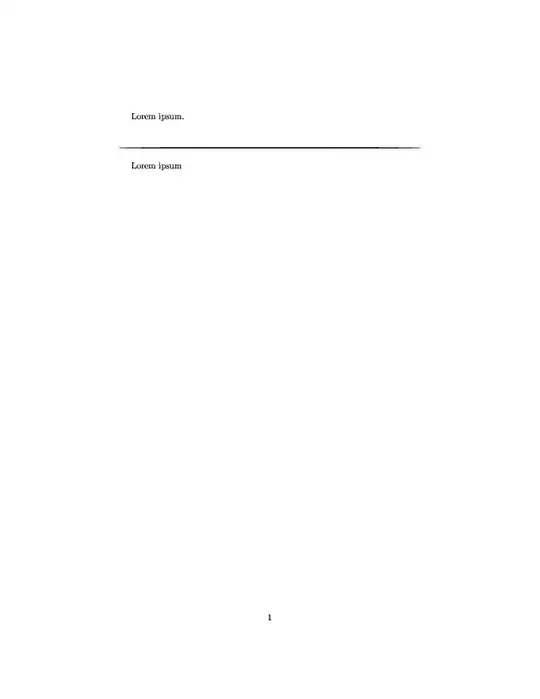
I'm trying to reproduce the horizontal lines that slightly thin out on both ends that are sometimes used, for example, to separate paragraphs or sections of text.

Beside the usual hline, rule and line I've found also found this question where the answers offer lots of nice ways to separate text, but none of the above do quite what I want.

I ended up accomplishing my goal by creating a vector graphic of what I have in mind and just including it, as in the example below. But I can't help to think that there must be a more elegant way to do this.

\documentclass{article}
\usepackage{graphicx}

\begin{document}
Lorem ipsum.

\begin{center}
    \includegraphics[width=\textwidth,height=2pt]{hline}
\end{center}

Lorem ipsum
\end{document}

which produces this thinning out line.
kuadrat
  • 33
  • 2
    Swelled rules are what you want: https://tex.stackexchange.com/q/130762 and https://tex.stackexchange.com/q/241606 – Thérèse Aug 10 '18 at 14:32
  • And as well here https://tex.stackexchange.com/q/101974/4736 and here: https://tex.stackexchange.com/a/216087/4736 – Keks Dose Aug 10 '18 at 14:34
  • Thanks for pointing out these questions, @Thérèse. Can I mark myself as duplicate or should I just remove the question? – kuadrat Aug 10 '18 at 14:50
  • Thank you as well, @KeksDose, but the questions you link to actually address fading, not thinning ;) – kuadrat Aug 10 '18 at 14:51
  • I’m not sure how questions are marked as duplicates, but let’t not remove this one, because Phelype Oleinik has provided a nice solution. – Thérèse Aug 10 '18 at 14:59

1 Answers1

4

The linked posts don't have this, so I think it's worth an answer. Using the TikZ calligraphy library:

enter image description here

\documentclass{article}
\usepackage{tikz}
\usepackage{lipsum}

\usepackage{expl3}
\ExplSyntaxOn
\int_zero_new:N \g__prg_map_int
\ExplSyntaxOff

\usetikzlibrary{calligraphy}

\begin{document}
\lipsum[1]
\noindent\vspace{0.5\baselineskip}%
  \tikz \calligraphy [copperplate] (0,0) -- ++(\textwidth,0) [this stroke style={light,taper=both}];

\lipsum[2]
\end{document}
  • Thanks, that definitely answers the question (I'll wait a bit with accepting in case someone else comes up with something). I personally prefer the answer over here, though, as it seems more intuitive and requires less code. – kuadrat Aug 10 '18 at 15:06
  • @kuadrat No worries. I would suggest something like that until Thérèse linked the other question, then I remembered about this library. Just for the fun of it :) – Phelype Oleinik Aug 10 '18 at 15:19