I'm trying to use the package mdframed to handle framed boxes, that allow page breaking when the content of the box is too large. Nevertheless, i encounter the following difficulty :
\documentclass{article}
    \usepackage[utf8]{inputenc}
    \usepackage{blindtext}
    \usepackage{mdframed}
\begin{document}
\blindtext\blindtext\blindtext\vspace{5cm}
\begin{mdframed}[userdefinedwidth=\textwidth]
\begin{tabular}{rl}
    coucou &coucou \\
    coucou &coucou \\
    coucou &coucou \\
\end{tabular}

TEXT2 TEXT2 TEXT2 TEXT2 TEXT2 TEXT2 TEXT2 TEXT2 TEXT2 TEXT2 TEXT2 TEXT2 TEXT2 TEXT2 TEXT2 TEXT2 TEXT2 TEXT2 TEXT2 TEXT2 TEXT2 TEXT2 TEXT2 TEXT2 TEXT2 TEXT2 TEXT2 TEXT2 TEXT2 TEXT2

\end{mdframed}
\end{document}
With this choice of \vspace{5cm} before the mdframed environment, the tabular appears on the top of one page, and the rest on the next page, which is is this case absurd.
Is it a bug ? how can i bypass it ?
I guess the problem comes somehow from the fact, that the tabular is not splittable.
EDIT: PeterGrill
As Marco requested, here is a MWE without \vspace that reproduces the problem:
\documentclass{article}
\usepackage[utf8]{inputenc}
\usepackage{blindtext}
\usepackage{mdframed}
\begin{document}
\blindtext\blindtext\blindtext\blindtext%\vspace{5cm}
TEXT2 TEXT2 TEXT2 TEXT2 TEXT2 TEXT2 TEXT2 TEXT2 TEXT2 TEXT2 TEXT2 TEXT2 TEXT2 TEXT2 TEXT2 TEXT2 TEXT2 TEXT2 TEXT2 TEXT2 TEXT2 TEXT22
\begin{mdframed}[userdefinedwidth=\textwidth]
    \begin{tabular}{rl}
        coucou &coucou \
        coucou &coucou \
        coucou &coucou \
    \end{tabular}
TEXT2 TEXT2 TEXT2 TEXT2 TEXT2 TEXT2 TEXT2 TEXT2 TEXT2 TEXT2 TEXT2 TEXT2 TEXT2 TEXT2 TEXT2 TEXT2 TEXT2 TEXT2 TEXT2 TEXT2 TEXT2 TEXT2 TEXT2 TEXT2 TEXT2 TEXT2 TEXT2 TEXT2 TEXT2 TEXT2

\end{mdframed}
\end{document}
EDIT: NicolasRoy
I attached two screenshots.
Output with mdframed v1.0b: 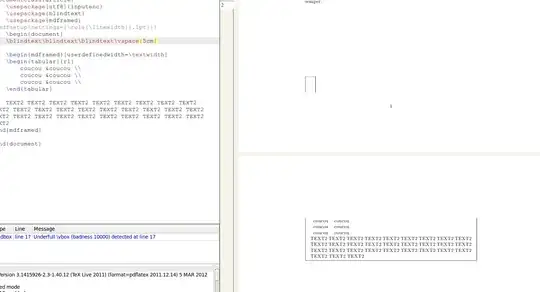
Output with mdframed v1.3a: 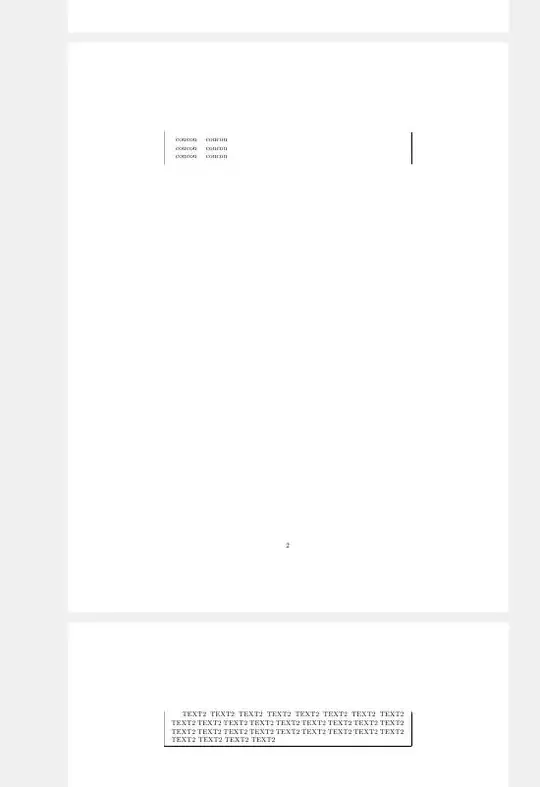
EDIT: NicolasRoy
I put Marco's proposed code for \def\mdf@put@frame@i in the preamble of my MWE, and get the following output : 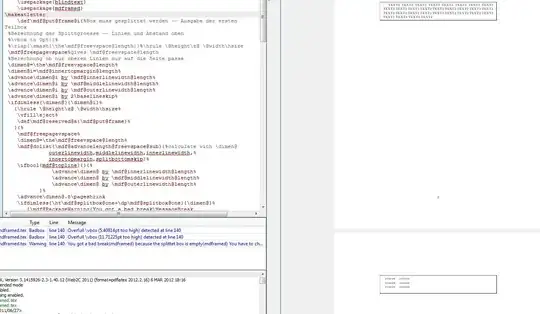


mdframedenvironment). – Peter Grill Mar 05 '12 at 16:09vspacefor the MWE, but in my actual code there is not vspace. could you by the way explain the fix ? – Loic Rosnay Mar 05 '12 at 18:44\vspacethat reproduces the problem. – Peter Grill Mar 05 '12 at 19:04vspacein a similar way to PeterGrill. By the way, exactly the same code (the one of the MWE) produces two different outputs (both "buggy") on my computers at work (windows+texlive) and at home (llinux+texlive). At work, i have the symptom described by PeterGrill in his first comment. I will try to put a screenshot for the home-computer... if i find out how to do it :) On the Home-computer (the one of the screenshot) i have :Package: mdframed 2011/12/09 v1.0b: mdframed– Loic Rosnay Mar 05 '12 at 19:26mdframed 2012/02/04 v1.3a, and now i have the bug described in Peter's first comment. – Loic Rosnay Mar 05 '12 at 21:22