In this code, a list is created once and for all with a command
\CreateRandomCoordinateList{<list>}{<# of entries>}{<prefactor x>}{<prefactor y>}
The second trick is to add a bounding box to the picture since otherwise the nodes appear to jump. (One could also write a solution without a bounding box.) The following produces an animation. To have it automatically animate, use acroread in the full screen mode. \transduration<2-6>{1} indicates that there is 1 second between the steps.
\documentclass{beamer}

\usepackage{tikz}
\usetikzlibrary{calc}
\usetikzlibrary{fit}
\usetikzlibrary{positioning}
\usetikzlibrary{shapes,overlay-beamer-styles}
\newcommand{\CreateRandomCoordinateList}[4]{
\foreach \X in {1,...,#2}
 {\pgfmathsetmacro{\myx}{rand*#3}
\pgfmathsetmacro{\myy}{rand*#4}
\ifnum\X=1
 \xdef#1{(\myx,\myy)}
\else
 \xdef#1{#1,(\myx,\myy)}
\fi}
}
\begin{document}
\CreateRandomCoordinateList{\lstRnd}{6}{2}{2}
%\typeout{\lstRnd}
\newcount\NumClouds
\begin{frame}[t]{test}
\animate<2-6>
\animatevalue<1-6>{\NumClouds}{1}{6}
\transduration<2-6>{1}
\begin{columns}
  \begin{column}{0.39\textwidth}
    \begin{itemize}
      \item Some text
    \end{itemize}
  \end{column}
  \begin{column}{0.6\textwidth}
    \centering

    \edef\namelist{{"test1","test2","test3","test4","test5","test6","test7"}}%

    \tikzset{%
      cloudstyle/.style={%
        cloud,
        cloud puffs=11.5,
        aspect=3,
        align=center,
        inner sep=0pt,
        draw,
        fill=lightgray,
      }%
    }

    \begin{tikzpicture}
      \path[use as bounding box] (-1,-1) rectangle (3,3);
      \foreach \Coord [count=\z,evaluate=\z as \i using {int(\z-1)}] in
      \lstRnd {
          \pgfmathsetmacro\mynodename{\namelist[\i]}
          \ifnum\i<\NumClouds
            \node[cloudstyle] (\mynodename) at \Coord {\mynodename};
          \fi
      }
    \end{tikzpicture}
  \end{column}
\end{columns}

\end{frame}

\end{document}
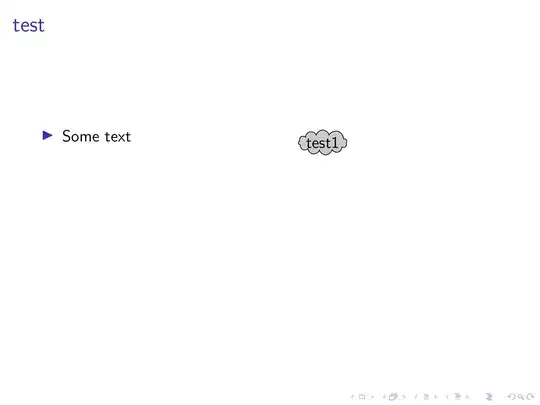
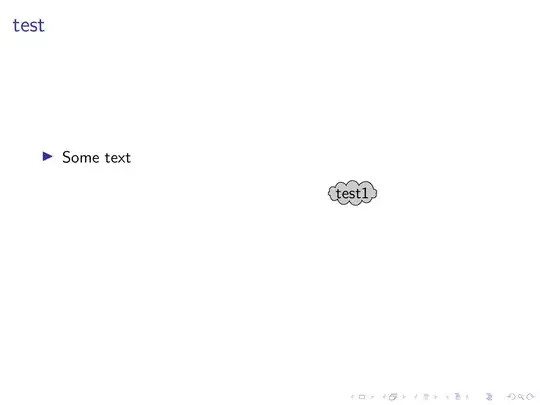
And this is a slight variation in which I use Jake's code to build a list of coordinates such that the clouds do not overlap.
\documentclass{beamer}

\usepackage{tikz}
\usetikzlibrary{calc}
\usetikzlibrary{fit}
\usetikzlibrary{positioning}
\usetikzlibrary{shapes,overlay-beamer-styles}
% from https://tex.stackexchange.com/a/87518/121799
\def\xlist{2}
\def\ylist{2}

\newcommand{\fillrandomly}[4]{
    \pgfmathsetmacro\diameter{#3*2}
    %\draw (0,0) rectangle (#1,#2);
    \foreach \i in {1,...,#4}{
        \pgfmathsetmacro\x{rnd*#1}
        \pgfmathsetmacro\y{rnd*#2}
        \xdef\collision{0}
        \foreach \element [count=\i] in \xlist{
            \pgfmathtruncatemacro\j{\i-1}
            \pgfmathsetmacro\checkdistance{ sqrt( 0.25*({\xlist}[\j]-(\x))^2 + ({\ylist}[\j]-(\y))^2 ) }
            \ifdim\checkdistance pt<\diameter pt
                \xdef\collision{1}
                \breakforeach
            \fi
        }
        \ifnum\collision=0
            \xdef\xlist{\xlist,\x}
            \xdef\ylist{\ylist,\y}
            %\draw [red, thick] (\x,\y) circle [radius=#3];
        \fi

    }
}


\begin{document}
% creates random list
\fillrandomly{6}{8}{0.6}{7}
%\typeout{xlist=\xlist,ylist=\ylist}

\begin{frame}[t]{test}

\begin{columns}
  \begin{column}{0.39\textwidth}
    \begin{itemize}
      \item Some text
    \end{itemize}
  \end{column}
  \begin{column}{0.6\textwidth}
    \centering

    \edef\namelist{{"test1","test2","test3","test4","test5","test6","test7"}}%

    \tikzset{%
      cloudstyle/.style={%
        cloud,
        cloud puffs=11.5,
        aspect=3,
        align=center,
        inner sep=0pt,
        draw,
        fill=lightgray,
      }%
    }

    \begin{tikzpicture}[scale=0.5]
      \path[use as bounding box] (-1,-1) rectangle (7,9);
      \foreach \X [count=\z,evaluate=\z as \i using {int(\z-1)}] in
      \xlist {
        \pgfmathsetmacro{\Y}{{\ylist}[\i]}
        \pgfmathsetmacro\mynodename{\namelist[\i]}
        %\typeout{x=\X,y=\Y,name=\mynodename}
        \node[cloudstyle,visible on=<\z->] (\mynodename) at (\X,\Y) {\mynodename};
      }
    \end{tikzpicture}
  \end{column}
\end{columns}

\end{frame}

\end{document}


lstRndrecursive? Could you please give me some explanations to your solution? And also, can I animate this usinganimate? In the end, I'll have much more nodes than 7 and I do not want to click a 100 times. – raedma Jan 29 '19 at 15:02CreateRandomCoordinateList. Could you please expain the 4 arguments? – raedma Jan 30 '19 at 11:18\CreateRandomCoordinateList{<list>}{<# of entries>}{<prefactor x>}{<prefactor y>}, the first entry is the macro in which the list will get stored in, the second denotes the number of entries, and the last two the factors by which you stretch the x and y direction. And I do not know which viewers apart fromacroreadare supported. And it is hard to guess where the error is, I do not see what you've tried. – Jan 30 '19 at 13:24