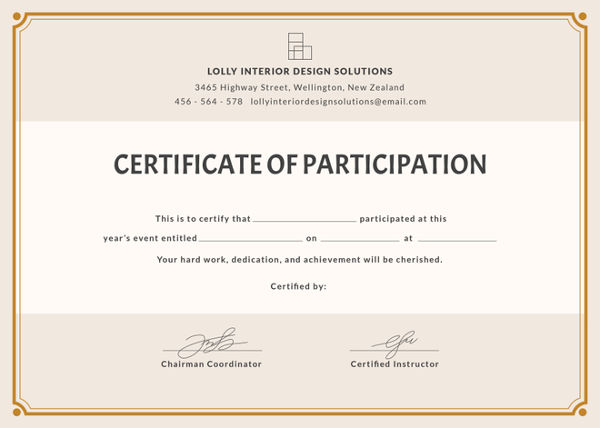
Grab or make a blank or partly filled certificate, such as
https://images.template.net/wp-content/uploads/2015/03/Free-Blank-Certificate-Template.jpg.
Create a name file (can be exported from the xls file as a csv), read it and use it to loop through the names.
Note the {c}{}{c}{} parameters in \stackinset define the precise location of the name overlay---here, literally, in the center of the page. That can be adjusted. For example, {l}{50pt}{b}{100pt} would mean 50 pt from the left and 100pt from the bottom of the image.
\documentclass{article}
\usepackage[letterpaper,landscape,margin=0pt]{geometry}
\usepackage{filecontents,stackengine,graphicx,readarray}
\begin{filecontents*}{names.txt}
Joe Smith
Jane Doe
\end{filecontents*}
\ignoreemptyitems
\readarraysepchar{,}
\parindent 0pt
\begin{document}
\readdef{names.txt}\namelistdef
\readlist\thenamelist{\namelistdef}
\foreachitem\x\in\thenamelist{%
  \stackinset{c}{}{c}{}{\sffamily\Large\x}{%
    \includegraphics[width=\textwidth]{Free-Blank-Certificate-Template.jpg}}%
  \clearpage%
}
\end{document}

One can get sophisticated and enter multiple fields, using a csv input format for the data.
Poor Jane...just wait until her Mom finds out!
\documentclass{article}
\usepackage[letterpaper,landscape,margin=0pt]{geometry}
\usepackage{filecontents,stackengine,graphicx,readarray}
\begin{filecontents*}{names.txt}
Joe Smith, 3-legged race
Jane Doe, chug-a-lug
\end{filecontents*}
\ignoreemptyitems
\readarraysepchar{\\}
\setsepchar{\\/,}
\parindent 0pt
\begin{document}
\readdef{names.txt}\namelistdef
\readlist\thenamelist{\namelistdef}
\foreachitem\x\in\thenamelist{%
  \stackinset{c}{-75pt}{c}{-30pt}{\sffamily\Large\thenamelist[\xcnt,2]}{%
  \stackinset{c}{}{c}{}{\sffamily\Large\thenamelist[\xcnt,1]}{%
    \includegraphics[width=\textwidth]{Free-Blank-Certificate-Template.jpg}%
  }}%
  \clearpage%
}
\end{document}


\parbox,\hbox, etc.) – Steven B. Segletes May 01 '19 at 18:32\stackinsetthat its final argument be a LaTeX box. But if not, the argument will just be a string of text, which does not serve the present purpose of being a certificate layout. – Steven B. Segletes May 01 '19 at 19:22