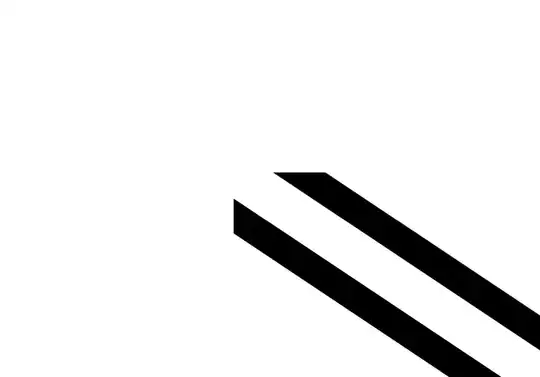
This is an unfortunate feature of double, which does not really draw a double line, but a thick line overlaid with a thinner white line in the middle. There have been many related questions such as this one. Assuming that you do not want to fiddle around with the viewer settings, you could draw the double lines as true double lines using calc. The proposal here draws the double for a single straight stretch, so it is not a true generalization of double. And since you clip anyway you could extend the line in both directions.
\documentclass[tikz,border=2mm]{standalone}
\usepackage{tikz}
\usetikzlibrary{calc}
\begin{document}
\begin{tikzpicture}
\tikzset{
  real double straight line/.style={to path={
  ($(\tikztostart)!#1!90:(\tikztotarget)$) --
    ($(\tikztotarget)!#1!-90:(\tikztostart)$)
  ($(\tikztostart)!#1!-90:(\tikztotarget)$) --
    ($(\tikztotarget)!#1!90:(\tikztostart)$)}},
  real double straight line/.default=0.5pt,
  one/.pic = {
    \path[clip] (0,0) -- (1,0) -- (1,1) -- cycle;
    \draw [real double straight line] (1+0.1*0.4,-0.1*0.6) to (1-1.1*0.4,1.1*0.6);
    }
  }
\path pic {one} pic[rotate=90,yscale=-1] {one};
\end{tikzpicture}
\end{document}



double, which does not really draw a double line, but a thick line overlaid with a thiner white line in the middle. See e.g. https://tex.stackexchange.com/q/262756 for a related question. AFAIK there is no really simple working solution, but I might be wrong. – Nov 12 '19 at 14:20doubledoes. – Nov 12 '19 at 19:09