Have a look if this meets the requirements
Position of the text can be shifted up\down by deleting the \vfill and alternatively using \vskip or \vspace commands
Graphics image can be used by uncommenting the \includegraphics line

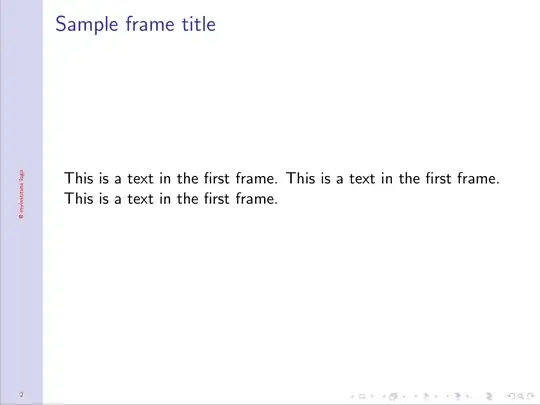
\documentclass{beamer}

\usepackage[utf8]{inputenc}

 \useoutertheme[height=0pt,left,width=1cm]{sidebar}
\setbeamercolor{sidebar}{use=structure,bg=structure.fg!20!white,fg=red}

\makeatletter
\setbeamertemplate{sidebar left}{%
    \begin{minipage}[t][.98\paperheight][t]{1cm}%
        \vfill%
        \centering
        % \includegraphics[width=.9\textwidth]{example-image}
         \rotatebox{90}{@ myinstitute logo}
         \vfill
        \usebeamercolor[fg]{sidebar}
        \insertframenumber
        \vskip1.5em%
    \end{minipage}
}
\makeatother

\title{Sample title}
\author{Anonymous}
\institute{Overleaf}
\date{2014}


\begin{document}
\frame{\titlepage}
\begin{frame}
\frametitle{Sample frame title}
This is a text in the first frame. This is a text in the first frame. This is a text in the first frame.
\end{frame}

\end{document}


\rotatebox{90}{My institute}– Sango Dec 13 '19 at 16:06