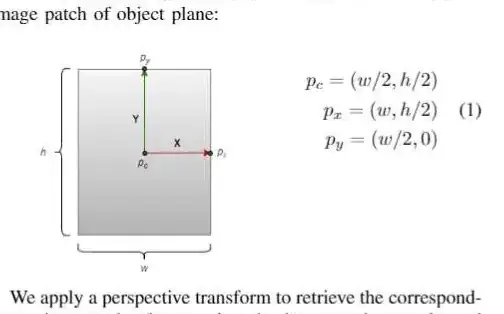
Obviously I do not have your graphics, but this is what you can do.
\documentclass{article}
\usepackage{amsmath}
\usepackage{graphicx}
\begin{document}
\begin{equation}
\vcenter{\hbox{\includegraphics[width=4cm,height=4cm]{example-image-duck}}}
\qquad\qquad
\begin{aligned}
p_c &= (w/2, h/2)
\\
p_x &= (w, h/2)
\\
p_y &= (w/2, 0)
\end{aligned}
\end{equation}
\end{document}

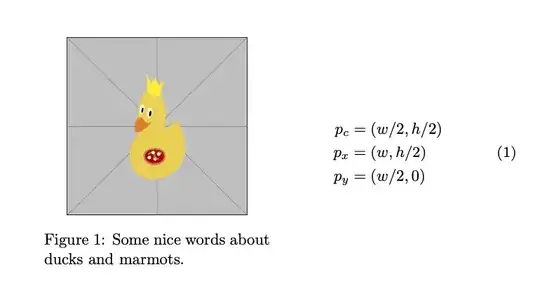
\documentclass{article}
\usepackage{amsmath}
\usepackage{graphicx}
\usepackage{caption}
\begin{document}
\begin{equation}
\vcenter{\hbox{\begin{minipage}{5cm}
\centering
\includegraphics[width=4cm,height=4cm]{example-image-duck}
\captionof{figure}{Some nice words about ducks and marmots.}
\end{minipage}}}
\qquad\qquad
\begin{aligned}
p_c &= (w/2, h/2)
\\
p_x &= (w, h/2)
\\
p_y &= (w/2, 0)
\end{aligned}
\end{equation}
\end{document}
If you want to align the equations vertically w.r.t. the figure without caption, you can use this.
\documentclass{article}
\usepackage{amsmath}
\usepackage{graphicx}
\usepackage{caption}
\begin{document}
\begin{align}
\vcenter{\hbox{\includegraphics[width=4cm,height=4cm]{example-image-duck}}}
&\qquad\qquad
\begin{aligned}
p_c &= (w/2, h/2)
\\
p_x &= (w, h/2)
\\
p_y &= (w/2, 0)
\end{aligned}\\
\vcenter{\hbox{\begin{minipage}{4cm}
\captionof{figure}{Some nice words about ducks and marmots.}
\end{minipage}}}
& \notag
\end{align}
Another equation.
\begin{equation}
 E=mc^2
\end{equation}
\end{document}

As you can see, the positions of the equation numbers match. You can also put it in a figure environment but then the system will float (unless you take drastic measures).