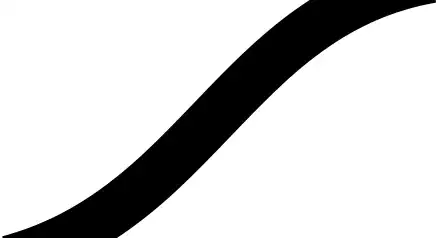
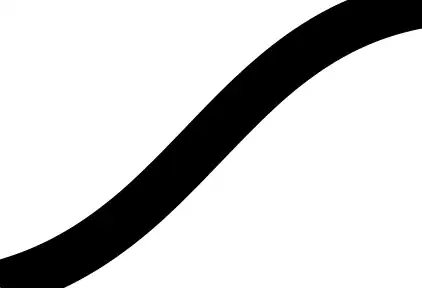
Okay, here's a method for the third using a decoration. In a decoration, the transformation is set as a coordinate transformation which means that we can figure out what it does. That means we can go between the transformed coordinate system, in which the x-axis points along the line and the y-axis is normal to it, and the page system, in which the x-axis is horizontal and the y-axis vertical. We need to use both, which is why I don't think that this can be done with arrow tips as those are set using a canvas transformation which cannot be accessed to the same degree as a coordinate transformation.
Update 2012-05-23 Revamped version, now does horizontal and vertical ends. There are slight artefacts as it goes from the main path to the filled ends - don't know how to deal with those. There's also an "auto" version which selects the "best" of "box", "horizontal", or "vertical" depending on the angle of the path.
\documentclass{article}
%\url{http://tex.stackexchange.com/q/55671/86}
\usepackage{tikz}
\usetikzlibrary{decorations.markings}
\makeatletter

\def\box@end@box{
  \pgfmathsetmacro\boxed@xd{\boxed@xa - \boxed@xo}
  \pgfmathsetmacro\boxed@yd{\boxed@yb - \boxed@yo}
  \pgfmathsetmacro\boxed@sf{\boxed@xd * \boxed@xc + \boxed@yd * \boxed@yc > 0 ? 1 : -1}
  \pgfmathsetmacro\boxed@xd{\boxed@sf * \boxed@xd + \boxed@xo + \boxed@xc}
  \pgfmathsetmacro\boxed@yd{\boxed@sf * \boxed@yd + \boxed@yo + \boxed@yc}
}

\def\box@end@horizontal{
  \pgfmathsetmacro\boxed@yd{(\boxed@ya - \boxed@yb) *\boxed@yc > 0 ? \boxed@ya + \boxed@yc: \boxed@yb + \boxed@yc}
  \pgfmathsetmacro\boxed@xd{(\boxed@ya - \boxed@yb) *\boxed@yc > 0 ? \boxed@xb + (\boxed@ya - \boxed@yb) * \boxed@xc/\boxed@yc: \boxed@xa +  (\boxed@yb - \boxed@ya) * \boxed@xc/\boxed@yc}
}

\def\box@end@vertical{
  \pgfmathsetmacro\boxed@xd{(\boxed@xa - \boxed@xb) *\boxed@xc > 0 ? \boxed@xa + \boxed@xc: \boxed@xb + \boxed@xc}
  \pgfmathsetmacro\boxed@yd{(\boxed@xa - \boxed@xb) *\boxed@xc > 0 ? \boxed@yb + (\boxed@xa - \boxed@xb) * \boxed@yc/\boxed@xc: \boxed@ya +  (\boxed@xb - \boxed@xa) * \boxed@yc/\boxed@xc}
}

\def\box@end@auto{
  \pgfmathparse{atan2(abs(\boxed@xc),abs(\boxed@yc)) > 60 ? "horizontal" : (atan2(abs(\boxed@xc),abs(\boxed@yc)) > 30 ? "box" : "vertical")}
  \csname box@end@\pgfmathresult\endcsname
}

\tikzset{
  line cap start/.style={
    add line cap={.1}{#1}
  },
  line cap end/.style={
    add line cap={-.1}{#1}
  },
  line cap type/.style={
    line cap start=#1,
    line cap end=#1,
  },
  line end path style/.style={
%    draw=red,line width=1pt
    fill
  },
  add line cap/.style 2 args={
    decoration={
      markings,
      mark=at position #1\pgflinewidth with {
        \pgfextra{
          \pgfpointtransformed{\pgfpointorigin}
          \xdef\boxed@xo{\the\pgf@x}
          \xdef\boxed@yo{\the\pgf@y}
          \pgfpointtransformed{\pgfpoint{0pt}{.5\pgflinewidth}}
          \xdef\boxed@xa{\the\pgf@x}
          \xdef\boxed@ya{\the\pgf@y}
          \pgfpointtransformed{\pgfpoint{0pt}{-.5\pgflinewidth}}
          \xdef\boxed@xb{\the\pgf@x}
          \xdef\boxed@yb{\the\pgf@y}
          \pgfpointtransformed{\pgfpoint{#1\pgflinewidth}{0pt}}
          \pgfmathsetmacro\boxed@xc{\boxed@xo - \the\pgf@x}
          \pgfmathsetmacro\boxed@yc{\boxed@yo - \the\pgf@y}
          \csname box@end@#2\endcsname
          \global\let\boxed@xd\boxed@xd
          \global\let\boxed@yd\boxed@yd
          \global\let\boxed@xc\boxed@xc
          \global\let\boxed@yc\boxed@yc
        }
        \pgftransformreset
        \path[line end path style] (\boxed@xa,\boxed@ya) -- (\boxed@xa + \boxed@xc,\boxed@ya + \boxed@yc) -- (\boxed@xd pt,\boxed@yd pt) -- (\boxed@xb + \boxed@xc,\boxed@yb + \boxed@yc) -- (\boxed@xb,\boxed@yb);
      }
    },
    postaction=decorate,
  },
}
\makeatother
\begin{document}
\begin{tikzpicture}[line width=1cm]
\draw[line cap type=box] (1,0) .. controls +(1,-2) and +(-1,-1) .. (6,0);
\draw[line cap type=box] (1,-4) .. controls +(1,2) and +(-1,1) .. ++(6,0);
\end{tikzpicture}

\begin{tikzpicture}[line width=1cm]
\draw[line cap type=horizontal] (1,0) .. controls +(1,-2) and +(-1,-1) .. (6,0);
\draw[line cap type=horizontal] (1,-4) .. controls +(1,2) and +(-1,1) .. ++(6,0);
\end{tikzpicture}

\begin{tikzpicture}[line width=1cm]
\draw[line cap type=vertical] (1,0) .. controls +(1,-2) and +(-1,-1) .. (6,0);
\draw[line cap type=vertical] (1,-4) .. controls +(1,2) and +(-1,1) .. ++(6,0);
\end{tikzpicture}

\begin{tikzpicture}[line width=1cm]
\draw[line cap type=auto] (1,0) .. controls +(1,-2) and +(-1,-1) .. (6,0);
\draw[line cap type=auto] (1,-4) .. controls +(1,2) and +(-2,1) .. ++(6,0);
\end{tikzpicture}

\end{document}
Result: