Well, this is one question that I've had for a long time, and one that always gets me extremely irritated. However, this time I'm even somewhat happy - that I can ask the question at all; and that is thanks to the power of animated .gif :)
This is the thing - sometimes there are some designs I'd like to replicate in Latex; usually you read your manuals, you change your lengths, things happen. However, sometimes - and especially after section headings - I'd like to say, lift up or push down the starting paragraph after the section a bit; however, without redefining the master section after skip.
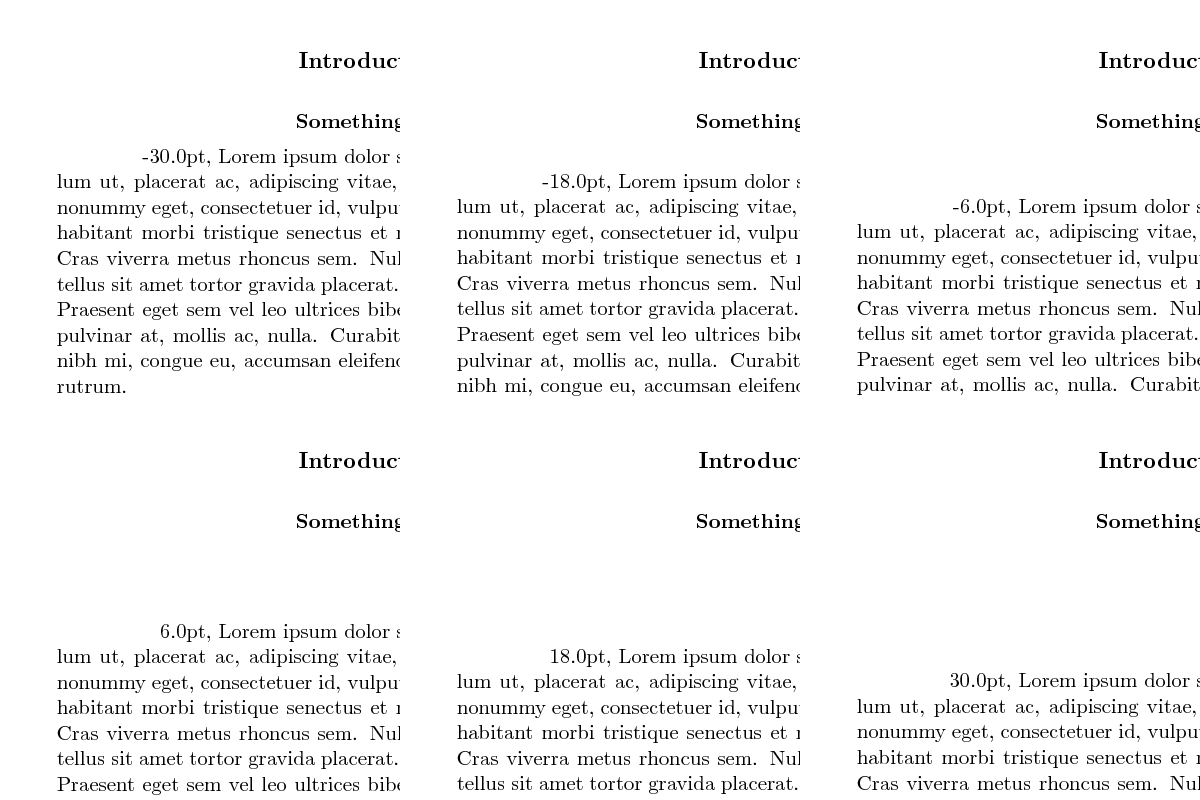
And so I usually insert a \vspace{\length} after the section heading, and start tuning \length; text starts moving, and then, if I move it for say 1 pt, it almost jumps into that direction; I decrease that to 0.5 pt - the text is as if not moved at all ?! (and then I start trying \vspace*, or \ \\[\length], or whatever works). And I always want to ask about this - but I can never think of anything better than "Why does Latex jump vertical space", and arguably no-one would understand what is going on :). Well, finally, this is what I mean by "jumping" or "snapping" in "discrete steps" (atest_animate_10_p.gif, 900KB):

The MWE for that image is below (compiled with pdflatex) - however, it is a bash script which generates 100 PDFs, and then extracts images from them, and finally composes the images into an animated gif. Basically, for each "frame" (PDF), the script changes a parameter that ends up as a length, \mylen, which is used at only one place: \ \\[\mylen]. \mylen is increased by a constant step (less than a pt) for each frame; and is written out as the first word in the paragraph.
Notice that instead of a smooth transition, the paragraph "snaps" into place and doesn't move for certain values - and then when it starts moving again, it "jumps" more than usual. And this is actually at some step size of (Note that you may have some hiccups in your browser while the gif loads; once it is loaded, however, the jumps should be noticeable when the paragraph doesn't move - and the number indication changes nonetheless... although, some frames from the gif may still end up being dropped)
Well, whenever I come to this problem, I get frustrated of the difficulty to explain it verbally. And then I think, fine - let me cook up an MWE, will be easier for others. Then I write up something minimal, toss \lipsum[1] in there - and I cannot demonstrate a problem anymore !! Damn, that always gets me! That is why, the first .gif (and the MWE) is set to \lipsum[1-10] - to demonstrate the problem; however, this is what happens if, say, \lipsum[1-2] is used instead (atest_animate_02_p.gif, 899KB):

That is - everything goes smooth, as expected (also built with pdflatex). I discovered more-less by accident, that you cannot demonstrate this "jumpiness" unless you use enough text in paragraphs, so it flows over to the next page!
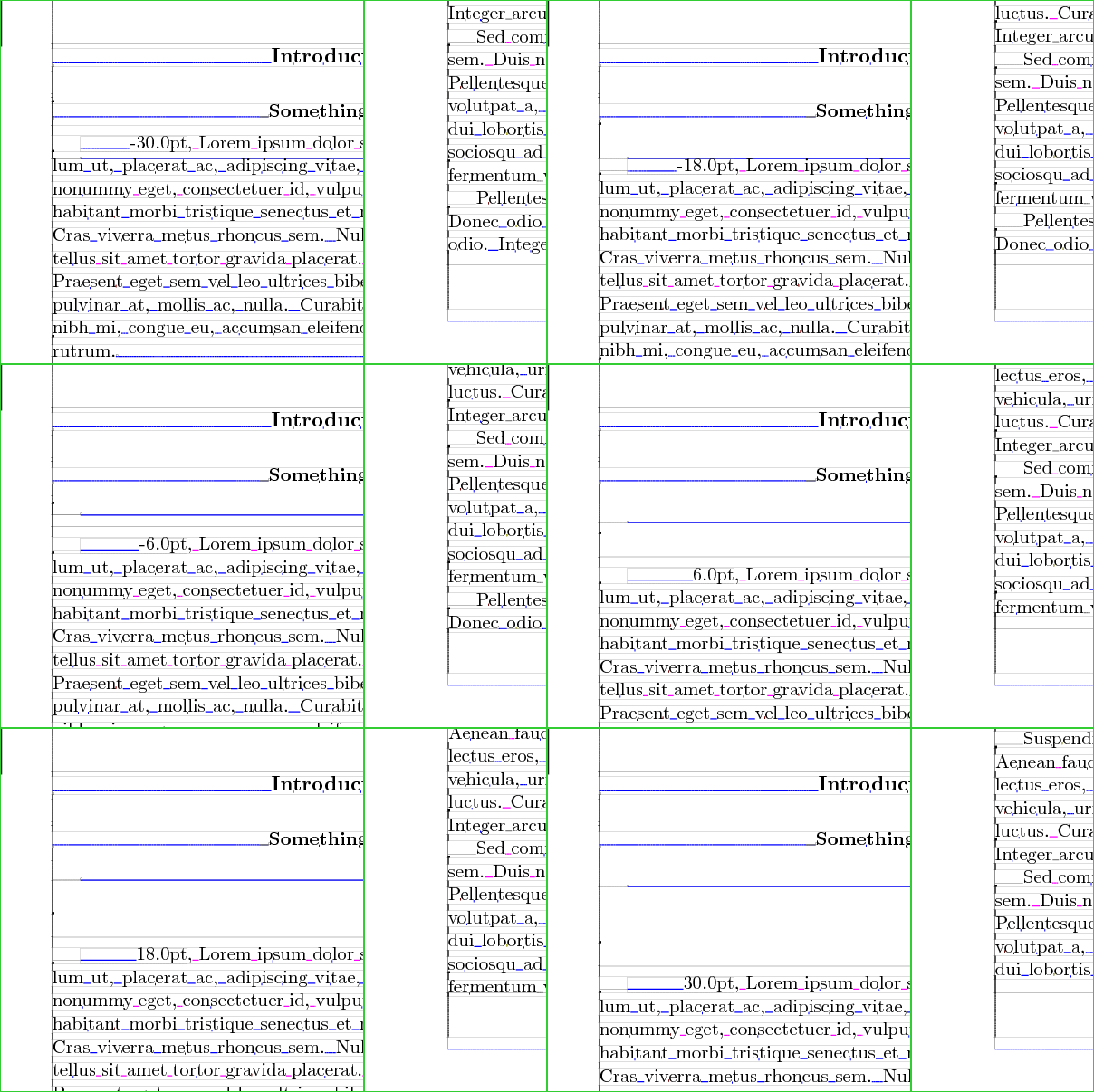
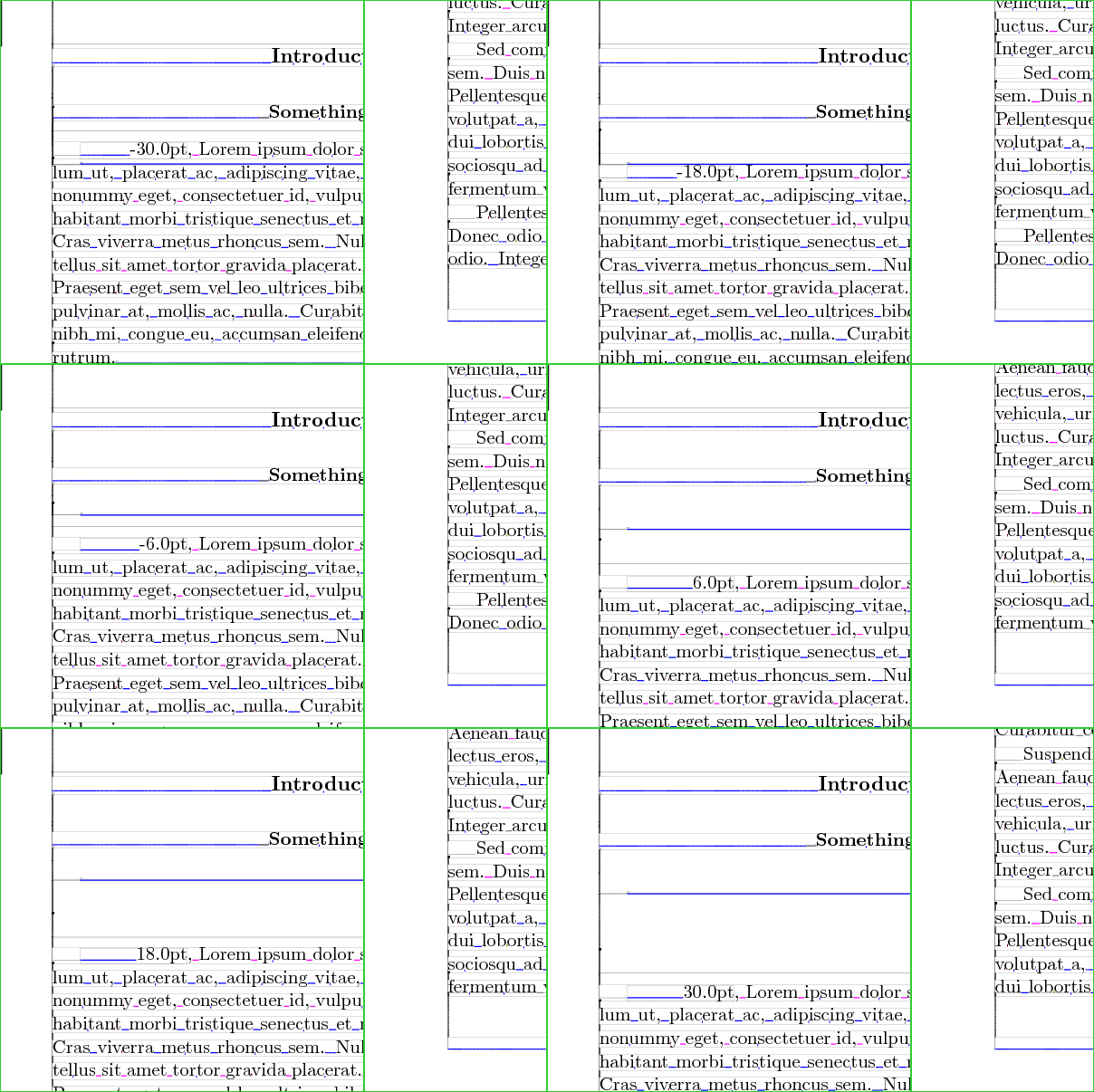
Finally, I thought, for fun, to generate such an animated gif, but with lualatex and lua-visual-debug - and this certainly explains something more (atest_animate_10_l.gif, 1599KB):

Namely, here it is noticeable that when the paragraphs "lock" into vertical position - one of those blue lines starts going "up", and then it "jumps down"; what does that mean, however, is beyond me :)
So, if anyone can explain what is happenning here - and is there a possibility for "smooth" vertical positioning of overflown paragraphs, please post back...
Many thanks in advance for any answers,
Cheers!
Here is the MWE script code (atextest.sh):
#!/bin/bash

# to force exit loop:
trap 'echo Control-C trap caught; cleanup; exit 1' 2 #traps Ctrl-C (signal 2)

MYFN="atest"
MYFNIMG="${MYFN}_img"
MYFNTEX=${MYFN}.tex
MYFNIN="${MYFN}-input"
MYFNINTEX=${MYFNIN}.tex

function cleanup() {
  echo rm ${MYFNTEX} ${MYFNINTEX} -rf ${MYFN} -rf ${MYFNIMG}
  rm ${MYFNTEX} ${MYFNINTEX}
  rm -rf ${MYFN}
  rm -rf ${MYFNIMG}
}


mkdir ${MYFN}
mkdir ${MYFNIMG}

cat > ${MYFNTEX} <<EOF
\documentclass[10pt,a4paper]{article}
\providecommand{\myparam}{0.0pt}% fallback definition
\tracingonline=0 % suppress stdout (still dumps start)

% tex.se: 47576
\usepackage{ifxetex,ifluatex}
\newif\ifxetexorluatex
\ifxetex
  \xetexorluatextrue
\else
  \ifluatex
    \xetexorluatextrue
  \else
    \xetexorluatexfalse
  \fi
\fi

\ifluatex
  \usepackage{lua-visual-debug} % tlmgr install lua-visual-debug
\fi
\ifxetexorluatex
  \usepackage{fontspec}
  \defaultfontfeatures{Ligatures=TeX}
  \setmainfont[Scale=1.0]{Junicode}
  \newfontfamily\myfontfam[Scale=1.0]{Junicode}
\fi

\usepackage[a4paper]{geometry}
\geometry{twoside,inner=2.5cm,outer=3.5cm,top=2.5cm,bottom=2.5cm}

\makeatletter
\renewcommand{\section}{\@startsection
{section}%                   % the name
{1}%                         % the level
{\z@}%                       % the indent / 0mm
{-\baselineskip}%            % the before skip / -3.5ex \@plus -1ex \@minus -.2ex
{2pt}%          % the after skip / 2.3ex \@plus .2ex
{\centering\fontsize{11}{12}\selectfont\bfseries}} % the style
\makeatother

\usepackage{lipsum}


\newlength{\mylen}
\setlength{\mylen}{0pt}
\setlength{\mylen}{\myparam}

\begin{document}

\ifxetexorluatex
  \myfontfam
\fi
  \fontsize{10}{12.3}\selectfont

\title{Testing Title}
\date{October 31, 1000}
\author{John Doe\\\\ Somewhereland}

\maketitle

\clearpage

\input{${MYFNINTEX}}
\clearpage

\end{document}
EOF

cat > ${MYFNINTEX} <<EOF

\section*{Introductory words of introduction}

\vspace{\baselineskip}
\vspace{2pt}
\begin{center}
\textbf{Something else here, some other words}
\end{center}

%\vspace{\mylen}
\ \\\\[\mylen]

\makebox[2cm][r]{\the\mylen}, \lipsum[1-10] %[1-2]


\bigskip


\bigskip

EOF

MYPARAM="2.0pt"
JOBNAME="atest1"

#~ CROPPARAMS=320x240+100+400
CROPPARAMS=400x400+150+100

CMDNAME="pdflatex"
#~ CMDNAME="xelatex"
#~ CMDNAME="lualatex"

for ix in $(seq 0 1 100); do
  iy=$(wcalc -EE -q \($ix-50\)/50*30);
  INDEX=$(printf "%03d" $ix) ;
  JOBNAME="${MYFN}${INDEX}" ;
  MYPARAM="${iy}pt"
  echo "
        $CMDNAME - $JOBNAME - $MYPARAM" ;
  (${CMDNAME} -output-directory="${MYFN}" -jobname="${JOBNAME}" "\def\myparam{${MYPARAM}}\tracingonline=0\input{${MYFNTEX}}" 2>&1 1>/dev/null);
  convert -density 150 -crop ${CROPPARAMS} +repage ${MYFN}/${JOBNAME}.pdf[1] ${MYFNIMG}/${JOBNAME}.png ;
done

GRAY=""
#~ GRAY="-type grayscale"
echo convert -delay 5 -loop 0 ${MYFNIMG}/\*.png ${GRAY} ${MYFN}_animate.gif
convert -delay 5 -loop 0 ${MYFNIMG}/*.png ${GRAY} ${MYFN}_animate.gif


# view results
#~ evince ${MYFN}/${JOBNAME}.pdf
#~ display ${MYFNIMG}/${JOBNAME}.png
eog atest_animate.gif 2>/dev/null

cleanup # remove tmp files




\raggedbottomor\flushbottomare in effect? – Mico May 19 '12 at 01:01\raggedrightand\flushbottom. Cheers! – sdaau May 19 '12 at 15:07