In this solution I applied the Daniel's method shown in Mindmap tikzpicture in beamer (reveal step by step): it has several advantages and it is very simple to be used.
In the following code, with respect to the MWE provided, I shifted in the preamble the style definitions:
\documentclass{beamer}
\usepackage{tikz}
\usetikzlibrary{trees,decorations}
\usetheme{EastLansing}

% style definitions
\tikzset{level 1/.style={sibling angle=120}}
\tikzset{level 2/.style={sibling angle=60}}
\tikzset{level 3/.style={sibling angle=30}}
\tikzset{every node/.style={fill,inner sep=0pt,minimum size=4pt}}
\tikzset{edge from parent/.style={segment length=1mm,
                          segment angle=10,draw}}

% Daniel's code:
% https://tex.stackexchange.com/questions/55806/tikzpicture-in-beamer/55827#55827
  \tikzset{
    invisible/.style={opacity=0},
    visible on/.style={alt=#1{}{invisible}},
    alt/.code args={<#1>#2#3}{%
      \alt<#1>{\pgfkeysalso{#2}}{\pgfkeysalso{#3}} % \pgfkeysalso doesn't change the path
    },
  }


\begin{document}
\begin{frame}{Title}
\begin{center}
\begin{tikzpicture}[grow cyclic,shape=circle,very thick,level distance=13mm,
                cap=round,scale=0.5]
\node {} child [color=\A,visible on=<1->] foreach \A in {red,red,red}
{  node {} child [color=\A!50!\B,visible on=<2->] foreach \B in {green,green,green}
     { node {} child [color=\A!50!\B!50!\C,visible on=<3->] foreach \C in {blue,blue,blue}
         { node {} }
    }
};
\end{tikzpicture}
\end{center}
\end{frame}

\end{document}
What you simply have to do, once inserted in the preamble the Daniel's code, is to define in which time instant you want to display nodes; the method is to add in child options visible on=<...>.
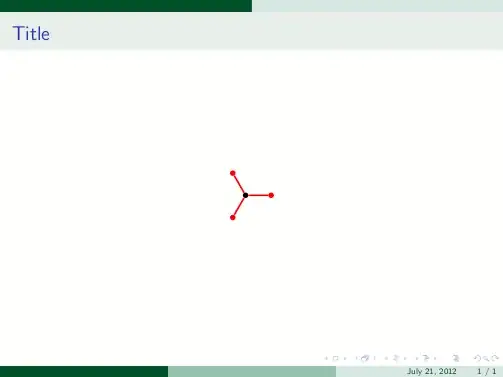
Finally, what you get are those three frames:


\documentclassand the appropriate packages so that those trying to help don't have to recreate it. – Peter Grill May 20 '12 at 07:22\tikzstyleis deprecated. See e.g. Should\tikzsetor\tikzstylebe used to define TikZ styles? – Martin Scharrer May 20 '12 at 09:53