11

I got a problem in my LaTeX document. I used the codes below:

    \begin{flushleft}
    \begin{figure}[tp]
       \centering
           \includegraphics{C:/Users/churva/Desktop/wla.jpg}
    \end{figure}
    \end{flushleft}

I was doing flushleft since I have stuffs in the right and I want it aligned with this image. How should I do it?

Martin Scharrer
  • 262,582
Keneth Adrian
  • 245
  • 1
  • 2
  • 7
  • the error was that there's a label always going out not just the jpg file plus I cant align the jpg file with some words. how to do? – Keneth Adrian May 24 '12 at 11:53
  • 2
    Don't put environments around figure. Use commands like \centering or \raggedright inside figure. Also don't use figure at all if you want the image to stay. figure is a float and should always be the outer most environment. And don't use \centering if you don't want to center. – Ulrike Fischer May 24 '12 at 12:07
  • 1
    You want text on the left and an image on the right? Sounds like a job for wrapfig! – Martin Scharrer May 24 '12 at 12:32
  • It would be good if you tell use your requirements more precisely. A minimal working example which shows what you are trying to do is always helpful. Are you having normal text on the left which expands further down or is it just something else (table, some small text, etc.)? Do you want the figure/image at a specific position or should it float? – Martin Scharrer May 24 '12 at 12:39

1 Answers1

13

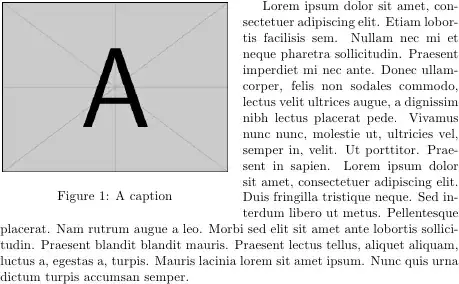
Assuming you mean an image in the left of the page with text flowing around it:

\documentclass{article}
\usepackage{mwe} % for blindtext and example-image-a in example
\usepackage{wrapfig}
\begin{document}

\begin{wrapfigure}{l}{0.5\textwidth}
\centering
\includegraphics[width=.98\linewidth]{example-image-a}
\caption{A caption}
\end{wrapfigure}
\blindtext

\end{document}

enter image description here

Obviously, replace the \blindtext and example-image-a with your own content.

Mike Renfro
  • 20,550
  • Note that mwe does not exist in MikTeX. – kiss my armpit May 24 '12 at 12:52
  • @Forgiver: mwe does exist in miktex. Synchronize the repository if you doesn't see it in the package manager. – Ulrike Fischer May 24 '12 at 13:23
  • 1
    In longer documents you might want to use \begin{wrapfigure}{L}{0.5\textwidth} (note the capital L instead of lower case l) to have the image float on the page. Placing it with lower case letters will have the image displayed exactly where it was defined. This could e.g. result in an image displayed kind of 'between' two pages. – Kim Jan 27 '17 at 17:43