I'm using the pdflscape package to create a document with several sections that need to be in landscape. I am seeing strange behavior with figure floats.
I would like to use htp for figure positioning, but I'm noticing that:
At a certain size (I'm guessing where the float algorithm chooses
p), the float gets rotated in a strange location when it probably should fit fine in the page.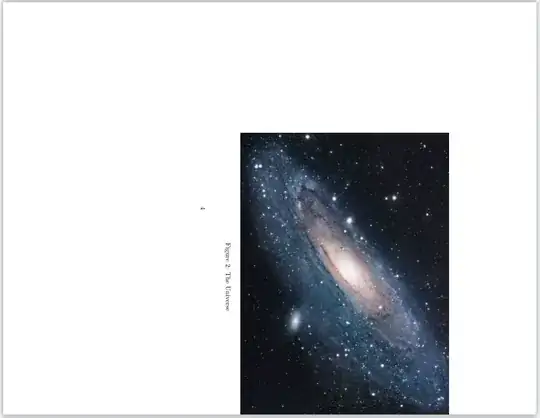
If we force
t!, the float seems to fit fine, but gets placed on its own page at the end of the section (like I would expectpto do).


I want the appearance of #2 (landscaped image), but in the location of #1 (on the next page in the text). Is this possible?
Example code:
\documentclass{article}
\usepackage{graphicx}
\usepackage{blindtext}
\usepackage{pdflscape}
\begin{document}
\section{Initial content}
\blindtext[2]
\begin{landscape}
\section{Landscape content}
\begin{figure}[htp]
\centering
\includegraphics[scale=0.9]{example-image}
\caption{The Universe}
\end{figure}
\blindtext[5]
\begin{figure}[htp]
\centering
\includegraphics[scale=1.3]{example-image}
\caption{The Universe}
\end{figure}
\blindtext[4]
\begin{figure}[t!]
\centering
\includegraphics[scale=1.3]{example-image}
\caption{The Universe}
\end{figure}
\blindtext[4]
\blindtext[4]
\end{landscape}
\end{document}

\textfloatsep= 0ptto avoid that it is added to the float size. – Ulrike Fischer Apr 05 '21 at 18:41example-image(and adjust the scaling if necessary so the problem shows) – David Carlisle Apr 05 '21 at 21:43example-image", I thought you were talking vaguely about an example image (e.g., the one I provided). I didn't know this feature existed. Apologies for my lack of awareness. I've updated my example image to be "example-image". Here's a helpful link in case anyone else has the same confusion: https://tex.stackexchange.com/a/231741/25541 – Neal Kruis Apr 05 '21 at 22:00