You can use the following code for making custom Supplementary Table environment
\usepackage{newfloat}
\DeclareFloatingEnvironment[name={Supplementary Table},fileext=lst,listname={List of
Supplementary Tables}]{supptable}
And then you use
\begin{supptable}
.................. %<----- Some table environment here
\caption{some caption}
\end{supptable}
And to make the list of supplementary tables appear you can \listofsupptables.
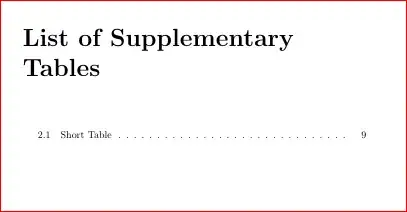
UPDATE:
For the longtable, I had to use \captionof just to emulate the float caption so that it gets added to the list and then allow the longtable to be written as usual as follows:
\documentclass{article}
\usepackage{caption}
\usepackage{longtable}
\usepackage{newfloat}
\DeclareFloatingEnvironment[name={Supplementary Table},fileext=lsst,listname={List of
Supplementary Short Tables},within=section, placement=htbp!]{supptable}
\def\nlines#1{\expandafter\nlineii\romannumeral\number\number #1 000\relax}
\def\nlineii#1{\if#1m\expandafter\theline\expandafter\nlineii\fi}
\begin{document}
\listofsupptables
\clearpage
\begin{supptable}
\centering
\caption{Short Table}
\begin{tabular}{|cccc|c|}
\hline
1 & 2 & 3 & 4 & 5\
1 & 2 & 3 & 4 & 5\
1 & 2 & 3 & 4 & 5\
1 & 2 & 3 & 4 & 5\
1 & 2 & 3 & 4 & 5\
\hline
\end{tabular}
\end{supptable}
\def\theline{1 & 2 & 3 & 4 & 5\}
\begingroup
\captionof{supptable}{Long Table}
\endgroup
\begin{longtable}{|cccc|c|}
\hline
\endhead
\hline
\endfoot
\hline
\nlines{100}
\hline

\end{longtable}
\end{document}
This is adapted from here, where @David Carlisle's comment was useful: How to create a new environment that contains multi-page longtables with unique caption labels?


