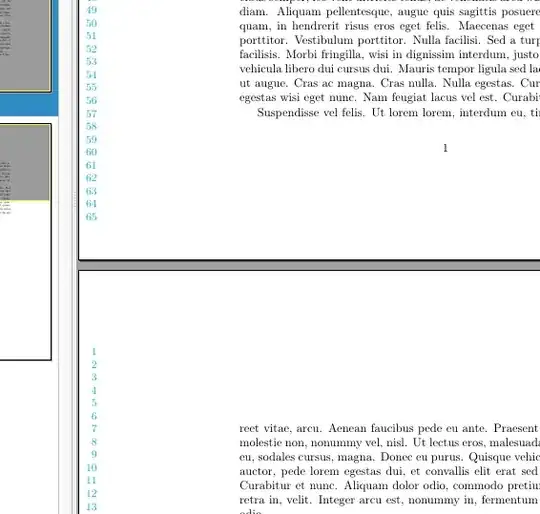
If the numbers are independent from the lines, this is basically a background image. For example, a quick-and-dirty one using TikZ and eso-pic:
\documentclass{article}
\usepackage[T1]{fontenc}
\usepackage{tikz}
\usepackage{lipsum}
\usepackage{eso-pic}
\AddToShipoutPictureBG{%
\begin{tikzpicture}[remember picture, overlay]
    \foreach \i in {1,...,65}
        \node[font=\small, color=cyan, text width=3em, align=right]
            at ([yshift=-4.1*\i mm]current page.north west) {\i};
\end{tikzpicture}%
}
\begin{document}
\lipsum
\end{document}

You can obviously refine it so that the 65 lines automatically fit the page height without resorting to the magic -4.1\i mm, or similar things...
If you want to live a gap, it's easy to start from another point:
\documentclass{article}
\usepackage[T1]{fontenc}
\usepackage{tikz}
\usepackage{lipsum}
\usepackage{eso-pic}
\AddToShipoutPictureBG{%
\begin{tikzpicture}[remember picture, overlay]
    \coordinate (start-numbers) at ([yshift=-2cm]current page.north west);
    \foreach \i in {1,...,65}
        \node[font=\small, color=cyan, text width=3em, align=right]
            at ([yshift=-3.8*\i mm]start-numbers) {\i};
\end{tikzpicture}%
}
\begin{document}
\lipsum
\end{document}