Add \DeclareCaptionStyle{sidecaption}{font=footnotesize, justification=raggedright}

The manual is not very explicit on how to set the caption styles:
Please refer to the caption manual for details on styles.
The package caption defines
 \DeclareCaptionFormat{name}{code} % name is the name of the caption format
\DeclareCaptionLabelFormat{name}{code}
\DeclareCaptionLabelSeparator{name}{code}
and others. Also the command \DeclareCaptionStyle
.
\documentclass{book}
\usepackage{lipsum}
\usepackage{sidenotes}
\usepackage{marginnote}
\usepackage{graphics}
\DeclareCaptionStyle{sidecaption}{font=footnotesize, justification=raggedright}% added <<<<<<<<<<<<<<<<<<<<
\begin{document}
    \begin{figure}
        \centering
        \sidecaption{\lipsum[66]}
        \includegraphics{example-image-a}
        \label{fig:my_label1}
    \end{figure}
    \marginnote{\footnotesize\lipsum[66]}[-4.5cm]
\end{document}
UPDATE After follow-up suggestion: option twoside for book
Page 1
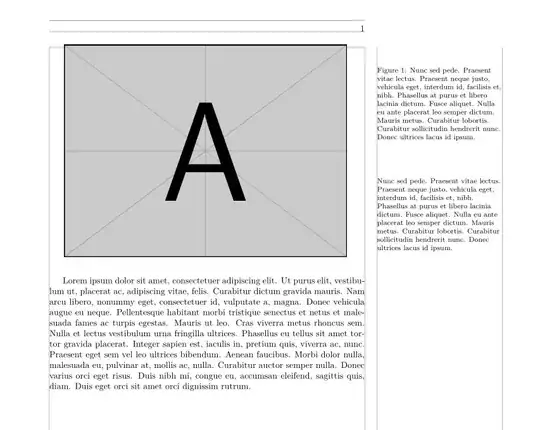
Page 2

This is the complete updated code.
Note: To detect odd or even page it is needed to have\RequirePackage[strict]{changepage} (which in this case is done by sidenotes).
\documentclass[twoside]{book}
\usepackage{lipsum}
\usepackage{sidenotes}% loads \RequirePackage[strict]{changepage}
\usepackage{marginnote}
\usepackage{graphics}
\usepackage[outer=7cm, inner=2cm, marginparwidth=5cm,marginparsep=5mm,showframe]{geometry}% show & large margins <<<
%%********************************************************************
\DeclareCaptionStyle{sidecaption}{font=footnotesize, justification=twoside}% added <<<

\DeclareCaptionJustification{twoside}{% added <<<<<<<<<<<<<
    \checkoddpage
    \ifoddpage \raggedright \else \raggedleft \fi
}
%%********************************************************************
\begin{document}
    \begin{figure}
        \centering
        \sidecaption{\lipsum[66]}
        \includegraphics{example-image-a}
        \label{fig:my_label}
    \end{figure}
    \marginnote{\footnotesize\lipsum[66]}[-4cm]
\lipsum[1]

\clearpage

\begin{figure}
    \centering
    \sidecaption{\lipsum[66]}
    \includegraphics{example-image-b}
    \label{fig:my_label}
\end{figure}
\marginnote{\footnotesize\lipsum[66]}[-4cm]
\lipsum[2]


\end{document}


\DeclareCaptionStyledefined? Also, it should beraggedrightfor right notes butraggedleftfor left notes.\marginnote[<left>]{<right>}[<voffset>]has a left / right option for this reason. – Atcold Feb 21 '22 at 18:40captionpackage is defining that. Digging further :D – Atcold Feb 21 '22 at 18:51\DeclareCaptionJustification{raggedauto}{\checkoddpage \ifoddpage \raggedright \else \raggedleft \fi}to your solution and replaceraggedrightwithraggedauto. – Atcold Feb 21 '22 at 19:03showframeoption ingeometry. See last code. Please remember to update your question to include odd and even pages. Thank you for your feedback! – Simon Dispa Feb 21 '22 at 20:00marginnoteis ragged (left or right). My question was asking whysidenoteswas going for a justified alignment. You did answer my question and provided a fix forsidenotesincorrect behaviour. Anyhow, I'll make it more explicit. Thanks again for your help! And thanks for theshowframetip!! – Atcold Feb 22 '22 at 14:53