54

I want to use math mode in lstlisting. How do I do that? How to put tab in this mode?

\begin{document}

\begin{lstlisting}[frame=single]                % Start your code-block
module main()
enumerated States {$S_0$,$S_1$,$S_2$,$S_3$}
integer c;
initial : c = 0 and States = $S_0$;
endmodule
\end{lstlisting}

\end{document}
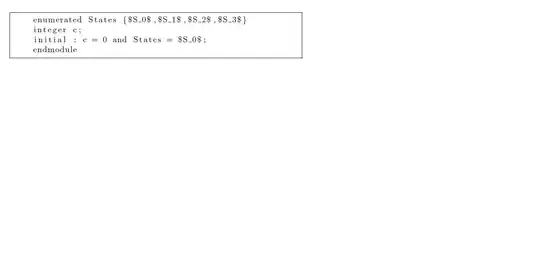
enter image description here

tikzlearner
  • 4,527

1 Answers1

72

The escapeinside option allows you to define how to escape from verbatim. Here's an example:

\begin{lstlisting}[escapeinside={(*}{*)}]
  if foo
  list= { (*$S_1,S_2,S_3$*) }
\end{lstlisting}

I've used escapeinside to define an opening (* and closing *) escape commands. Things between (* and *) will be typeset normally. Obviously, if (* or *) are common in whatever language you're using, you should pick something else.

In fact, if all you want to do is escape maths, you can use the mathescape option:

\begin{lstlisting}[mathescape=true]
  if foo
  list= { $S_1,S_2,S_3$ }
\end{lstlisting}
CarLaTeX
  • 62,716
Seamus
  • 73,242