I am making a number of assumptions here, but here is an attempt at an answer. First lets reduce the OP example to a minimum working example, without the packages that are not needed for fontspec and lualatex:
\documentclass{scrreprt}
\usepackage[french]{babel}
\usepackage{lipsum} % for dummy text
\usepackage{fontspec}
\begin{document}
\chapter{La négation avec \textit{ne \dots\ ni \dots\ ni}}
\section{About \textit{Blablabla}}
\lipsum[1]
\end{document}
This produces output with the desired italics in the section titles, using the default fonts.
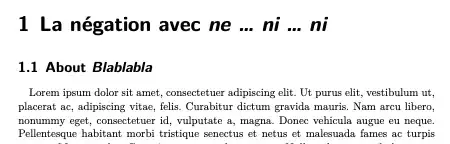
Note that the scrreprt style sets chapter and section titles in bold sans serif.
Now lets change that to use Futura as the sans font, by adding
\setsansfont{Futura}
after the fontspec line. Compiling this again with lualatex (on my Mac) gives me this error message:
LaTeX Font Warning: Font shape `TU/Futura(0)/b/it' undefined
(Font)              using `TU/Futura(0)/b/n' instead on input line 7.
which means roughly "LuaLateX could not find Futura Bold Italic so it has used Futura Bold Normal instead", and indeed the output now looks like this, and you can see that Futura Bold Normal has been used instead of a bold italic.

On my Mac this happens because I do not have Futura Bold Italic installed, and indeed if you consult Apple's list of fonts included with Monterey you will find that it includes only Futura Medium Normal, Futura Medium Italic, and Futura Bold Normal.
So what you can do about this?
You could install Futura Bold Italic manually, either by buying a copy or downloading one of the many free versions in OTF format that you can find on the web. Of course you might find that any free version does not quite match Apple's other Futura fonts, and you may get sucked into some horrible malware site, etc, etc
You could redefine the font chosen for titles so that it used Futura Medium instead of Futura Bold, but you should probably set aside some time to read the (execrable) Koma-script documentation carefully.
You could choose a different title font that has Bold Italic available. Apple include Gill Sans for example, which might go quite well with Garamond.
I think this is what I would recommend.
\documentclass{scrreprt}
\usepackage[french]{babel}
\usepackage{lipsum} % for dummy text
\usepackage{fontspec}
\setsansfont{Gill Sans}
\begin{document}
\chapter{La négation avec \textit{ne \dots\ ni \dots\ ni}}
\section{About \textit{Blablabla}}
\lipsum[1]
\end{document}
compiling this with lualatex on my Mac produces this:

which does not look too bad.


scrreprtis trying to use Bold Italic in your titles. On my Mac (Monterey) I have Future Medium, Medium Italic, and Bold but I am missing Bold Italic -- I guess that you are too. Did you get this error:LaTeX Font Warning: Font shape TU/Futura(0)/b/it undefined? – Thruston Sep 04 '22 at 21:00inputencandfontenc. There is no need for them in thefontspec+lualatexworld. – Thruston Sep 04 '22 at 21:02LaTeX Font Warning: Some font shapes were not available, defaults substituted.But what can we do about it? – Gustave Flaubert Sep 04 '22 at 23:01