- Suppose that I have an
itemizelist, which I want to present in sequential order. I use[<+->]for that. - I want to highlight the current (the most recently added) item in bold.
To do so, I replace
[<+->]with[<+-|alert@+>]and changealertcolor and font following this answer:
\setbeamercolor{alerted text}{fg=black} %change the font color
\setbeamerfont{alerted text}{series=\bfseries} %make alerted text bold
Result with current item in bold:

- Moreover, I want to change the item shape from a circle to a triangle only for the most recently added item to the list. Following this answer, I modify
alertbehaviour in itemize:
\AtBeginEnvironment{itemize}{%
\renewenvironment{alertenv}{\only{\setbeamertemplate{items}[triangle]}}{}}
However, since I've redefined alert environment, the bold for current item is no longer working:

- This is the result I want to achieve (combination of two modifications at the same time):
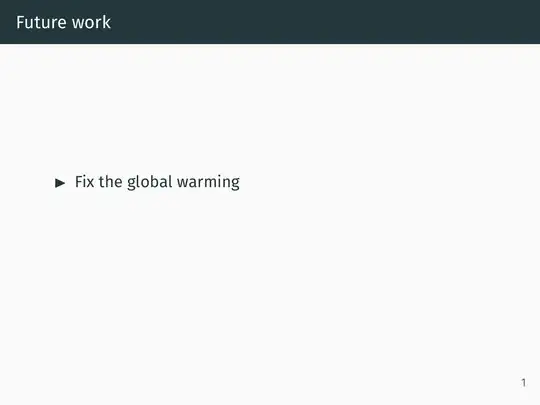

MWE:
\documentclass{beamer}
\usetheme{metropolis}
\begin{document}
% redefining alert action only for itemize
\AtBeginEnvironment{itemize}{%
\renewenvironment{alertenv}{\only{\setbeamertemplate{items}[triangle]}}{}}
\begin{frame}{Future work}
\begin{itemize}[<+-|alert@+>]
    \setbeamercolor{alerted text}{fg=black} %change the font color
    \setbeamerfont{alerted text}{series=\bfseries} %make alerted text bold
    \item Fix the global warming
    \item Prove P $\ne$ NP
    \item Sofa in the office
\end{itemize}
\end{frame}
\end{document}


altin action, the same is true for setting\setbeamerfont{alerted text}INSIDE theitemizeenvironment. – Dr. Manuel Kuehner Dec 11 '22 at 19:57\altmacro is described in section "9.3 Commands with Overlay Specifications" of the user guide. If that's the first time you see\alt, just wait until you see\temporal- that's even rarer :) – samcarter_is_at_topanswers.xyz Dec 12 '22 at 09:01