In word processors, vertical space between lines is always a multiple of the common baseline distance, because you can just hit return a few times until you're satisfied by the result.
Well, advanced word processors might have a way to specify the desired distance, but I'm not aware of such a feature (perhaps because I'm no word processor user).
In LaTeX you can specify precisely what amount of space you want. And \\ \\ will invariably lead to errors (unless you're in some environment where you can or must end lines manually, such as flushleft or tabular). But, as a general rule, \\ \\ should be avoided even there.
The command \\ has an optional argument: with
\\[4ex]
you specify that the line should end and that a vertical space of 4 ex units is desired. You can use any legal unit: in, cm, mm, and so on. But ex is good in this context, because its value depends on the current font.
\documentclass[a4paper,oneside]{book}
\usepackage[T1]{fontenc} % mandatory for French
\usepackage[french]{babel} % mandatory for French
\begin{document}
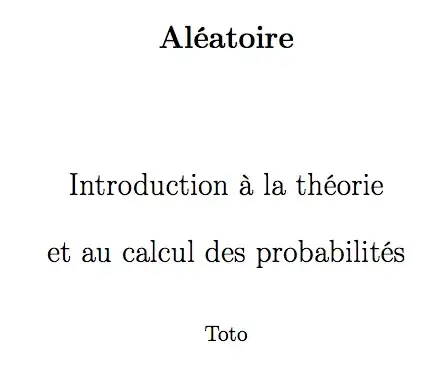
\title{\textbf{Aléatoire} \[8ex]
Introduction à la théorie \[2ex]
et au calcul des probabilités}
\author{Toto}
\date{}
\maketitle
\tableofcontents
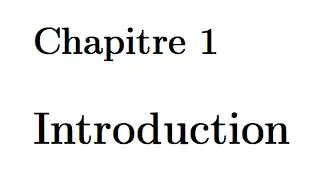
\chapter{Introduction}
\end{document}
Title page
TOC

Chapter page
Notes
If you write in French, you have to tell LaTeX, not just redefine \contentsname or \chaptername. You don't want to hyphenate French according to American English rules, I believe.
With the oneside option, there is no need to do the awful \let\cleardoublepage\clearpage.


\\in your text they are always (well almost) wrong. – daleif Dec 16 '22 at 12:54