Try this code using hyperref's \autopageref.

\documentclass[12pt]{article}
\usepackage[
toc,
section,
numberedsection = autolabel,
automake,
]{glossaries}
\glstoctrue
\makeglossaries %makeglossaries %
\newacronym{vae}{VAE}{variational auto-encoder}
\makeglossaries
\usepackage[hidelinks]{hyperref}% added <<<<<<<<<<<<
\begin{document}
\tableofcontents

\section{Abstract}
\acrshort{vae}.

Please, refer to section \ref{main}.

Please, refer to \autopageref{main}.

\newpage \setcounter{page}{5}

\printglossary[type=main]


\end{document}
For an unnumbered glossary
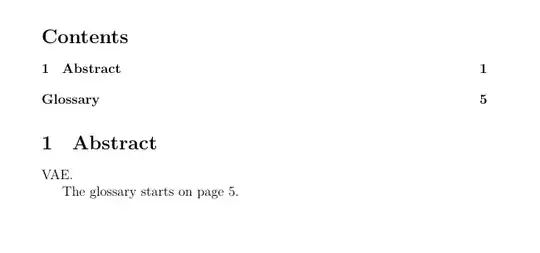
\documentclass[12pt]{article}
\usepackage[
toc,
section,
]{glossaries}
\glstoctrue
\renewcommand*{\glossarypreamble}{%https://tex.stackexchange.com/a/49780/161015
    \label{\currentglossary}%
}
\newacronym{vae}{VAE}{variational auto-encoder}
\makeglossaries
\begin{document}
\tableofcontents

\section{Abstract}
\acrshort{vae}.

The glossary starts on page~\pageref{main}.

\newpage \setcounter{page}{5}

\printglossary

\end{document}
OR
\documentclass[12pt]{article}
\usepackage[
toc,
section,
]{glossaries}
\glstoctrue
\newacronym{vae}{VAE}{variational auto-encoder}
\makeglossaries
\begin{document}
\tableofcontents

\section{Abstract}
\acrshort{vae}.

The glossary starts on page~\pageref{main}.

\newpage \setcounter{page}{5}

\printglossary[title={List of Acronyms\label{main}}]

\end{document}


