I am editing a presentation with beamer, the theme is Boadilla:
\date{date}
\title[The title is quite quite quite quite quite quite long]{The title is quite quite quite quite quite quite long}
\author{My name}
\institute{My school}
\usetheme{Boadilla}
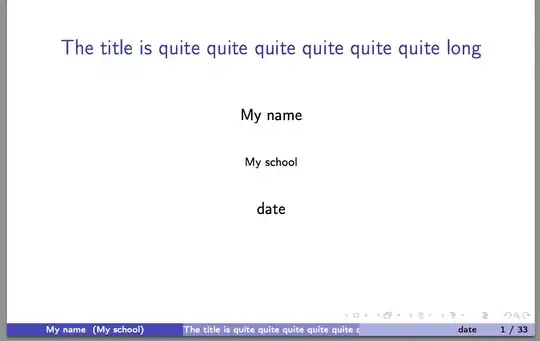
There are several things I would like to change:
1) When I open the pdf file in "Slideshow" mode, the list of buttons on the right bottom is still visible, I don't think it is necessary, could anyone tell me how to remove it?
2) On the bottom, there are currently 3 parts. For the 1st part, My school is appended automatically after My name, is it possible to remove My school?
3) I don't think date is necessary, which is the 3rd part. Is it possible to just remove this part, so that I have more space for the title + page number? If it is not possible, I would prefer to put the name of Section at the 2nd part instead of the title, does anyone know how to do it?


