Original answer: append circle[radius=.1pt] manually
In example below, single coordinates, which correspond to the first n-1 move-to path operations in a chain of consecutive n move-tos (n >= 2), are one-by-one converted to small circles (<coordinate> circle[radius=.1pt]).
Other power tikz players may provide more advanced hence more automatic solutions using for example decorations and/or soft path manipulations supported by spath3.
\documentclass{standalone}
%\documentclass{article}
\usepackage{tikz}
\usetikzlibrary{shadows}
\pgfkeys{
    /glow settings/.is family,
    /glow settings,
    layers/.store in=\opacitysteps,
    width/.store in=\glowwidth,
    color/.store in=\linecolor,
    default/.style={
        layers=20,
        width=6pt,
        color=black
    }
}
\newcommand\drawglow[2][]{%
    \pgfkeys{/glow settings,default,#1}
    \foreach \w in {1,...,\opacitysteps}{
        \pgfmathparse{10/\opacitysteps(1-pow(\w/\opacitysteps,0.25))}
        \edef\layeropacity{\pgfmathresult}
        \pgfmathparse{\glowwidth\w/\opacitysteps}
        \edef\layerwidth{\pgfmathresult}
        \draw[opacity=\layeropacity,line width=\layerwidth,color=\linecolor] #2;
    }
}
\begin{document}
\begin{tikzpicture}[line cap=round,line join=round]
  \drawglow[width=15mm]{
    (0,0) -- (1,1)
    (2,2) circle[radius=.1pt]
    (0,1) -- (1,0)
    (0,1.3) circle[radius=.1pt]
    (2,2.1) circle[radius=.1pt]
  }
\end{tikzpicture}
\end{document}
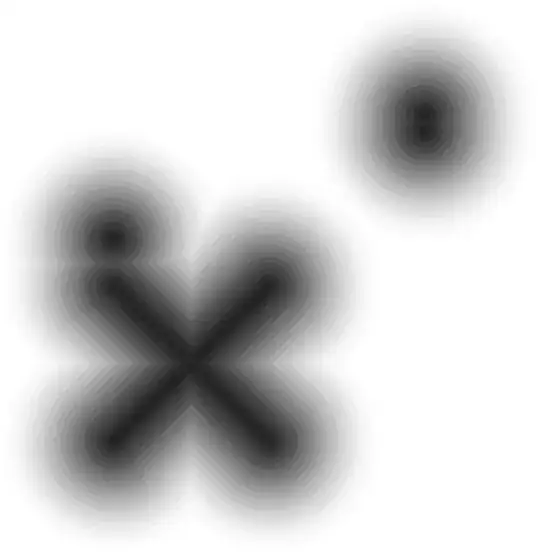
Update, insert circle[radius=.1pt] automatically
Some tikz internals are patched to allow inserting arbitrary path operations between consecutive move-tos, including the position between final move-to and ;.
\documentclass{standalone}
\usepackage{tikz}
\usetikzlibrary{positioning, shadows}
\usepackage{xpatch}
\pgfkeys{
    /glow settings/.is family,
    /glow settings,
    layers/.store in=\opacitysteps,
    width/.store in=\glowwidth,
    color/.store in=\linecolor,
    default/.style={
        layers=20,
        width=6pt,
        color=black
    }
}
\newcommand\drawglow[2][]{%
    \pgfkeys{/glow settings,default,#1}
    \foreach \w in {1,...,\opacitysteps}{
        \pgfmathsetmacro\layeropacity{10/\opacitysteps(1-pow(\w/\opacitysteps,0.25))}
        \pgfmathsetmacro\layerwidth{\glowwidth\w/\opacitysteps}
%        \pgfwarning{line width=\layerwidth}
        \draw[opacity=\layeropacity,line width=\layerwidth,color=\linecolor] #2;
    }
}
\makeatletter
\def\mytikz@text@moveto{moveto}
\xpatchcmd\tikz@handle
  % relax the match pattern from \tikz@resetexpandcount\pgfutil@next
  % to \tikz@resetexpandcount, to gain backward compatibility
  {\tikz@resetexpandcount}
  {%
    \let\mytikz@pathop@last=\mytikz@pathop@current
    \let\mytikz@pathop@current=\pgfutil@empty
    % specially handle the case when the last path operation before ";" is moveto
    \ifx\pgfutil@next\tikz@finish
      \mytikz@drawcoord@prepare
        {\let\pgfutil@next=\mytikz@drawcoord@drawfinish}%
    \fi
    \tikz@resetexpandcount
  }
  {}{\PatchFailed}
\xpatchcmd\tikz@moveto
  {\tikz@scan@one@point{\tikz@@moveto}}
  {%
    \let\mytikz@pathop@current=\mytikz@text@moveto
    \def\pgfutil@next{\tikz@scan@one@point{\tikz@@moveto}}%
    \mytikz@drawcoord@prepare
      {\let\pgfutil@next=\mytikz@drawcoord@drawbetween}%
    \pgfutil@next
  }
  {}{\PatchFailed}
\def\mytikz@drawcoord@prepare#1{%
  \ifx\mytikz@pathop@last\mytikz@text@moveto
    \unless\ifx\mytikz@drawcoord@code\pgfutil@empty
      #1%
    \fi
  \fi
}
\def\mytikz@drawcoord@drawbetween{%
  \expandafter\tikz@scan@next@command\mytikz@drawcoord@code}
\def\mytikz@drawcoord@drawfinish{%
  \expandafter\tikz@scan@next@command\mytikz@drawcoord@code;}
% user interface
\tikzset{
  draw coordinate/.store in=\mytikz@drawcoord@code,
  draw coordinate=% init to an empty value
}
\makeatother
\begin{document}
\begin{tikzpicture}[line cap=round,line join=round]
  \drawglow[width=15mm]{
    (0,0) -- (1,1)
    (2,2)
    (0,1) -- (1,0)
    (0,1.3)
    (2,2.1)
  }
  \node[below=of current bounding box] {before};
\end{tikzpicture}
\begin{tikzpicture}[line cap=round,line join=round]
  \drawglow[width=15mm]{
    (0,0) -- (1,1)
    (2,2) circle[radius=.1pt]
    (0,1) -- (1,0)
    (0,1.3) circle[radius=.1pt]
    (2,2.1) circle[radius=.1pt]
  }
  \node[below=of current bounding box] {manual solution};
\end{tikzpicture}
\begin{tikzpicture}[
  line cap=round,
  line join=round,
  draw coordinate={circle[radius=.1pt]}
]
  \drawglow[width=15mm]{
    (0,0) -- (1,1)
    (2,2)
    (0,1) -- (1,0)
    (0,1.3)
    (2,2.1)
  }
  \node[below=of current bounding box] {auto solution};
\end{tikzpicture}
\end{document}


