A variation of @Ignasy answer, but with some (off-topic) image and image code improvements/changes. Differences are marked in code by <---:
\documentclass[margin=3mm]{standalone}
\usepackage{tikz}
\usetikzlibrary{arrows.meta,        % <--- added
                ext.paths.ortho,    % <--- added
                positioning}
\begin{document}
    \begin{tikzpicture}[
arr/.style = {-Latex, rounded corners=4mm},
lbl/.style = {font=\footnotesize, text=red, auto},
  N/.style = {draw, semithick, minimum width=2cm, minimum height=1.5cm}
                        ]           % <--- added image elements styles
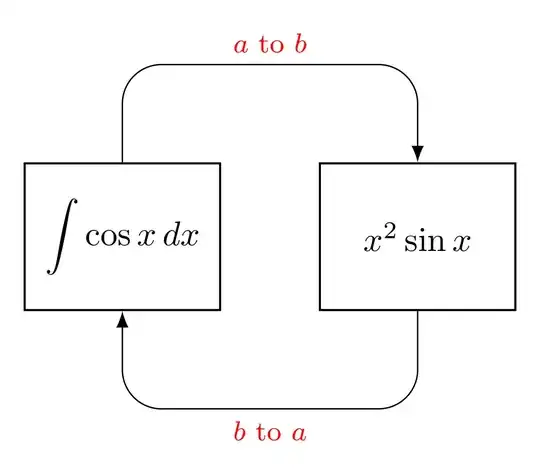
\node[N] (a) {$\displaystyle \int \cos x \,dx$};    % <--- changed
\node[N, right=of a] (b) {$x^2 \sin x$};            % <--- changed
\draw[arr]  (a)  r-ud [distance=-10mm] node[lbl]  {$a$ to $b$} (b);    % <--- changed
\draw[arr]  (b)  r-du [distance=-10mm] node[lbl]  {$b$ to $a$} (a);    % <--- changed
    \end{tikzpicture}
\end{document}
Edit:
Now is considered @Qrrbrbirlbel, the TikZ-Extensions package author, comment.


rounded corners=<radius>to the path and TikZ does the rest for you. For those kind of arrows, see Q102385. – Qrrbrbirlbel Jun 15 '23 at 19:29