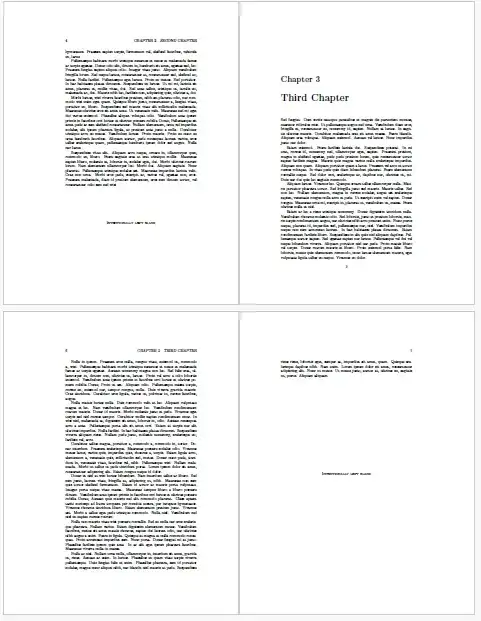
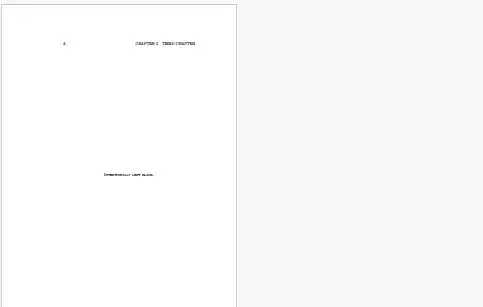
After an initial misinterpretation of the question, I have revised my answer to achieve "Intentionally blank" message for those cases where a twoside document leaves a blank page before a new chapter (with the macro \gotooddpage). I also provide the macro \finishonevenpage to achieve the same effect at the end of the document.
With the additional use of \pretocmd and \AtEndDocument, I can achieve the execution of \gotooddpage and \finishonevenpage automatically, without intervention from the user.
Adding the message to partially full end-of-chapter pages, but only when there is significant (>2in) blank space, is achieved using an approach similar to this question: Measure remaining space on page and use it on another page.
\documentclass[twoside]{book}
\usepackage{changepage}% TO MAKE SURE CERTAIN THINGS START ON ODD PAGE #
% MACRO TO GO TO ODD PAGE, INSERTING "INTENTIONALLY LEFT BLANK" IF NEEDED
\newcommand\gotooddpage{\clearpage%
  \checkoddpage\ifoddpage\else\blankpage\fi\clearpage}
% MACRO TO FINISH ON EVEN PAGE, INSERTING "INTENTIONALLY LEFT BLANK" IF NEEDED
\newcommand\finishonevenpage{%
  \clearpage\checkoddpage\ifoddpage\else\blankpage\fi}
\newcommand{\blankpage}{%
  \clearpage
  \begin{center}
    {\textsc{\rule{0em}{4.5in}Intentionally left blank.}}
  \end{center}
}
\def\measurepage{\the\dimexpr\pagegoal-\pagetotal-\baselineskip\relax}
\newcommand\finishthispage{\ifnum\value{chapter}=0\else
  \ifdim\measurepage>2in\relax
    \vfill\centerline{\textsc{Intentionally left blank}}\vfill\clearpage
  \fi%
\fi}
\usepackage{lipsum}
\usepackage{etoolbox}
\pretocmd{\chapter}{\finishthispage\gotooddpage}{}{}
\AtEndDocument{\finishthispage\finishonevenpage}
\begin{document}
\chapter{First Chapter}
\lipsum[1-3] % some text
%\gotooddpage only needed manually if no \pretocmd used on \chapter
\chapter{Second Chapter}
\lipsum[4-10] % some text
\chapter{Third Chapter}
\lipsum[11-20] % some more text
%\finishonevenpage only needed manually if no \AddEndDocument used
\end{document}