I'm trying to compare two diagrams in pdf format side by side. I have this post - Two figures side by side to get some hint.
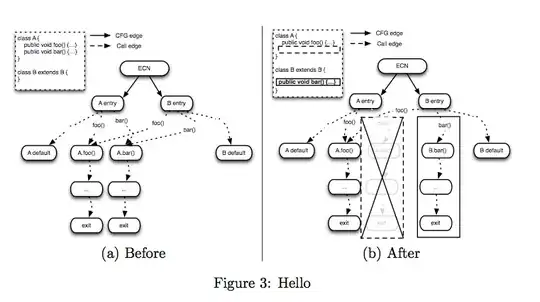
This is the code that I'm coming up with.
\begin{figure}
\begin{minipage}[t]{0.45\linewidth}
\includegraphics[scale=0.30]{before.pdf}
\caption{(a) Before}
\end{minipage}%

\hfill\vrule\hfill
\begin{minipage}[t]{0.45\linewidth}
\includegraphics[scale=0.3]{after.pdf}
\caption{(b) After}
\end{minipage}%
\caption{Hello}
\end{figure}
And this is the result, which is not exactly what I expected.

- What modifications are needed to make the pictures sit side by side?
- I just want the caption (a) Before and (b) After without any
Figureprepended. What should I do?


\hfill\vrule\hfill; also declare\centeringafter\begin{figure}– egreg Nov 14 '12 at 18:30width=\linewidthinstead ofscale=0.30in your\includegraphicssince otherwise the width of the image may exceed the width of the minipage. – Vincent Nivoliers Nov 14 '12 at 18:32