In the process of making a paper for school look good, I came to wonder, if there was such a thing as latex themes for regular papers? What I am think about in particular would be a Christmas theme, such that there would be Christmas trees, lights and Christmas stuff around the content of the actually text?
Asked
Active
Viewed 5,927 times
33


-
Sorry for my comment, but is this something to be done with TeX? It's better to use graphics softwares to do this, like Inkscape, for example. – Sigur Dec 03 '12 at 23:26
-
One could definitely argue that. This was more a wondering question, as I have not be able to find the answer through google. – Niels Sønderbæk Dec 03 '12 at 23:28
-
4When you talked about Christmas trees, one has been made with tikz with snowflakes and stuff. Of course, you would need a lot of other stuff, but it is a start. – TKO Dec 03 '12 at 23:32
-
2When @TKO linked to the christmas tree in texample.net I want to point to to original place of this: How can we draw a Christmas tree with decorations, using TikZ?. – Speravir Dec 04 '12 at 00:06
-
And as Gonzalo linked to an image on vector.net: https://www.google.com/#q=intitle:christmas+site%3Avector.net&oq=intitle:christmas+site%3Avector.net Pay attention to the licenses! – Speravir Dec 04 '12 at 00:18
-
1@Sigur I think this is the wrong place to argue against using LaTeX (and the upvotes suggest I am not alone in my thinking). – Vivi Dec 04 '12 at 06:20
-
@Vivi, sorry. My fault. – Sigur Dec 04 '12 at 10:28
2 Answers
35
One possibility would be to get a nice image and use the background package:
\documentclass{article}
\usepackage{graphicx}
\usepackage{background}
\usepackage{lipsum}

\SetBgContents{\includegraphics[width=\paperwidth,height=\paperheight]{christmas.pdf}}
\SetBgAngle{0}
\SetBgScale{1}
\SetBgOpacity{.2}

\begin{document}

\lipsum[1-10]

\end{document}

Here's another option using a not so distracting decoration:
\documentclass{article}
\usepackage{graphicx}
\usepackage{background}
\usepackage{lipsum}

\SetBgContents{\includegraphics[width=5cm,height=\paperheight]{ejemplo}}
\SetBgAngle{0}
\SetBgScale{1}
\SetBgOpacity{.4}
\SetBgPosition{current page.west}
\SetBgHshift{2cm}

\begin{document}

\lipsum[1-10]

\end{document}

The images were taken from here and they are licensed as "Creative Commons Attribution 3.0 License", so I think there's no legal issues using them here; otherwise, please let me know and I'll change them.

Gonzalo Medina
- 505,128
-
1That does look quite nice, but it's a little to distracting from the content. What I was looking was decorations around the content :) – Niels Sønderbæk Dec 03 '12 at 23:35
-
1@NielsSønderbæk Same idea; get a nice image with a christmas theme frame and use the package to place it at the frame. – Gonzalo Medina Dec 03 '12 at 23:37
-
-
@NielsSønderbæk something like a decorative border, like the one in the second example code in my updated answer. – Gonzalo Medina Dec 03 '12 at 23:47
-
I just tried it out, and that worked beautifully! I'll use that for my next assignment :) thank you :) I am, however, still interested in knowing if it could be done with Tex? – Niels Sønderbæk Dec 03 '12 at 23:54
-
@NielsSønderbæk sure; you can use, for example,
tikzto create the design you want, and then use thebackgroundpackage to place the design in the desired position, with the desired attributes. Or do you mean using Plain TeX instead of LaTeX? – Gonzalo Medina Dec 03 '12 at 23:57 -
1@NielsSønderbæk I appreciate you accepting my answer, but perhaps it is so soon? Perhaps you will get some other answers offering a better alternative? :-) – Gonzalo Medina Dec 04 '12 at 00:00
-
The image link is broken. Any chance you could post the image here or link it again? – Dr Xorile Dec 30 '18 at 23:49
19
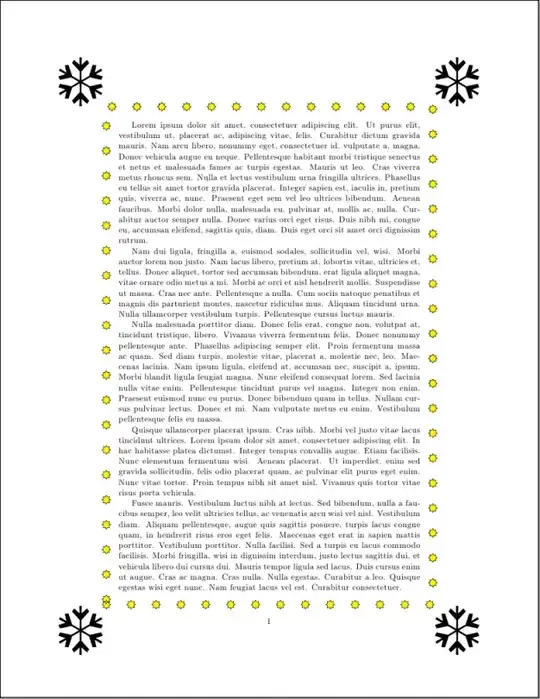
Here's an example that puts stars and snowflakes around the body of the text. You can adapt the code to add baubles, trees, angels etc as required.
\documentclass{article}

\usepackage[T1]{fontenc}
\usepackage{tikz}
\usepackage{pifont}
\usepackage{flowfram}
\usepackage{lipsum}

\usetikzlibrary{shapes.geometric}
\usetikzlibrary{decorations.shapes}

\newcommand{\snowflake}{\resizebox{2cm}{!}{\ding{102}}}

\newcommand{\myfancyframe}[1]{%
 \begin{tikzpicture}[baseline=(n.base),
    decoration={shape backgrounds,shape=star,shape size=10pt,
    shape sep=1cm},
     star points=8]%
  \node[draw,decorate,fill=yellow,inner sep=5mm] (n) {#1};
  \path (n.north east) ++(1cm,1cm) node {\snowflake};
  \path (n.north west) ++(-1cm,1cm) node {\snowflake};
  \path (n.south west) ++(-1cm,-1cm) node {\snowflake};
  \path (n.south east) ++(1cm,-1cm) node {\snowflake};
  \useasboundingbox (n.north west) rectangle (n.south east);
 \end{tikzpicture}%
}

\onecolumn

\setflowframe{1}{border=myfancyframe,offset=-2.6cm}

\begin{document}

\lipsum[1-5]

\end{document}
This sets up one frame the size of the typeblock (via \onecolumn). Since there's only one frame, I haven't bothered assigning a label to it, so I've just referenced it by its number (1) when setting the frame attributes (via \setflowframe). The command \myfancyframe puts stars and snowflakes around its argument. (I adapted the example given at the end of Framed Boxes.) This can then be used as a border for the frame. The border is set using the border key with the name of the command without the leading backslash. (See chapter 3 of the flowfram user guide.) The offset compensates for the thick border that shifts the frame out of whack. This value will need changing if you modify \myfancyframe. (If you use the flowfram package's draft option, you can see the outline of where the frame contents are expected.)

Nicola Talbot
- 41,153