6

I'm trying to create a program (i.e. the paper kind you hand out) in LaTeX.

I've got \documentclass[landscape, letterpaper] and I'm running into problems with the columns. I've tried multicol, minipage, and twocolumn, but I can't get it to do what I want.

+-----+-----+
|     |     |
|blank|stuff|
|     |     |
+-----+-----+

I want to have the left side blank, and stuff on the right hand side (text on top, image, and text on bottom) all centered on the right side.

When I used twocolumn, I couldn't get the LHS to be blank and put anything on the right side. Minipages seem to completely fail at what I want, simply centering everything on the page.

I haven't been able to find any template to do what I want, because searching for "LaTeX program template" provides me all sorts of results that do not what I need. Here's an example of what I mean:

\documentclass[twocolumn, landscape,letterpaper]{article}
\usepackage[pdftex]{graphicx}


\begin{document}
\pagestyle{empty}
\vfill
\clearpage
\newpage
    \begin{center}
        \textit{December 8, 2012}
    \end{center}
\end{document}

Produces this: wrong side!

I want that to appear on the right hand side.

3 Answers3

5

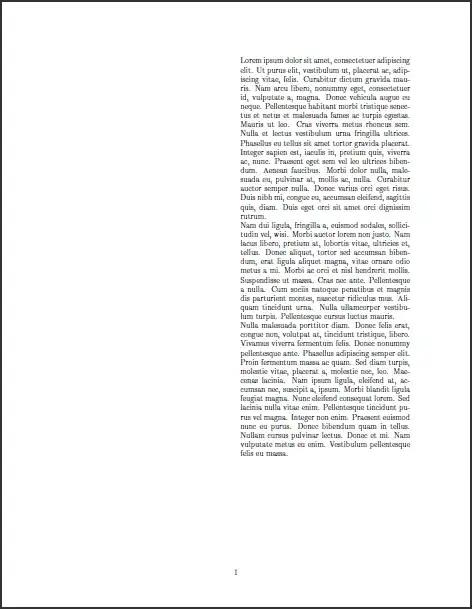
The following probably does what you want:

enter image description here

\documentclass{article}
\usepackage{fullpage}                           % Makes the page margins smaller to a predefined one.
\usepackage{xcolor}
\usepackage{multicol,lipsum}
                                                % Added a few parameters to play around with
\columnseprule=0.4pt                            % Adds a rule for aesthetics.
\columnsep=2cm                                  % Increases the width that separates the column.
\renewcommand{\columnseprulecolor}{\color{red}} % Changes the default \normalcolor of the column separation rule.
\begin{document}
\begin{multicols}{2}
\vspace*{\textheight}
\columnbreak
\lipsum[1-2]
\end{multicols}
\end{document}
azetina
  • 28,884
  • 1
    It appears that multicols doesn't work like that right out of the box with landscape mode. But using \vspace{0.5\textheight} worked! – Wayne Werner Dec 08 '12 at 16:25
5

For distinct content on a per-page basis, you can also use a tabular environment. tabularx is also an option:

enter image description here

\documentclass{article}
\usepackage[margin=1in]{geometry}% http://ctan.org/pkg/geometry
\usepackage{lipsum,tabularx}% http://ctan.org/pkg/{lipsum,tabularx}
\begin{document}
\noindent
\begin{tabularx}{\linewidth}{XX}
  & \lipsum[1-3]
\end{tabularx}
\end{document}

Two differences between an approach like this and using a regular twocolumn layout would include

  1. A vertical rule between columns that might be used as a booklet/pamphlet divider would only stretch as far as the text is printed within the table since it's bound to the tabularx structure;
  2. Content flow from on page to the next is prohibited.

flowfram would also be capable of managing a layout out like.

Werner
  • 603,163
3

While this is old, here is another solution. Instead of leaving a column blank you could simply adjust the margins for a one column document. While this potentially has some undesired side effects, I found this straight forward for multipage documents. The settings below just give a bigger margin to one side for comments. Add the following in your preamble:

\addtolength{\oddsidemargin}{1in}
\addtolength{\evensidemargin}{3in}
\addtolength{\textwidth}{-4in}
ted
  • 3,377