The option on grid won’t work because internally the diagrams are built with a \matrix.
But the original /tikz/column sep (and /tikz/row sep) styles understand the option between origins.
The problem is that tikz-cd does not provide a (good) hook to add between origins to the already defined separators or to an arbitrary distance (e.g. column sep={between origins}, column sep={normal,between origins}, or column sep={10ex,between origins}).
My solution provides
- a re-definition of the original
\tikzcd@sep#1#2 macro that is used by tikz cd to set the separators and to sort out the likes of column sep=<named distance>;
- a re-definition of the original
/tikz/commutative diagrams/column sep and /tikz/commutative diagrams/row sep keys that accomodate the changes to \tikzcd@sep; and
/tikz/commutative diagrams/bo row sep and/tikz/commutative diagrams/bo col sep keys that works (kind of) like the original.
“Kind of” because I opted for a factor of 1.7 to the named distances (tiny, small, scriptsize, normal, large, and huge) because the distances are now smaller due to the fact that the node widths do not affect the separator (just like on grid would).
Code
\documentclass[tikz]{standalone}
\usepackage{tikz-cd}
\makeatletter
\pgfqkeys{/tikz/commutative diagrams}{
  row sep/.code={\tikzcd@sep{row}{#1}{}},
  column sep/.code={\tikzcd@sep{column}{#1}{}},
  bo row sep/.code={\tikzcd@sep{row}{#1}{between origins}},
  bo column sep/.code={\tikzcd@sep{column}{#1}{between origins}},
  bo column sep/.default=normal,
  bo row sep/.default=normal,
}
\def\tikzcd@sep#1#2#3{% re-defintion of original package macro!
  \pgfkeysifdefined{/tikz/commutative diagrams/#1 sep/#2}%
    {\pgfkeysalso{/tikz/#1 sep={\ifx\\#3\\1*\else1.7*\fi\pgfkeysvalueof{/tikz/commutative diagrams/#1 sep/#2},#3}}}%
    {\pgfkeysalso{/tikz/#1 sep={#2,#3}}}}
\makeatother
\begin{document}
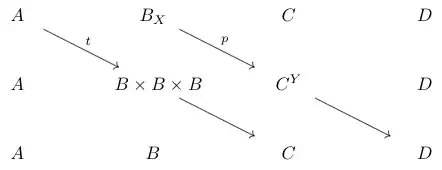
\begin{tikzcd}[bo column sep]
  A \arrow{dr}{\alpha} & B \arrow{dr}{\beta}                    & C                    & D \\
  A                    & B \times B \times B \arrow{dr}{\gamma} & C \arrow{dr}{\delta} & D \\
  A                    & B                                      & C                    & D
\end{tikzcd}
\end{document}
Output

A manual way perhaps?
A few other options in this example are
left- and right-lapping the biggest node (mathtools required):
\mathllap{B \times} B \mathrlap{\times B}
settings a fixed node width that is the maximum of all:
text width=\widthof{$B \times B \times B$}
Code
\documentclass[tikz]{standalone}
\usepackage{tikz-cd} \usepackage{mathtools}
\begin{document}

\begin{tikzcd}
  A  \arrow[shorten >=8pt]{dr} & B \arrow{dr} & C & D \\
  A & \mathllap{B \times} B \mathrlap{\times B} \arrow{dr} & C \arrow{dr} & D \\
  A & B & C & D
\end{tikzcd}

\begin{tikzcd}[column sep=-1ex,cells={nodes={align=center,text width=\widthof{$B \times B \times B$}}}]
  A  \arrow{dr} & B \arrow{dr} & C & D \\
  A & \mathllap{B \times} B \mathrlap{\times B} \arrow{dr} & C \arrow{dr} & D \\
  A & B & C & D
\end{tikzcd}
\end{document}
Output



tikz-cdto test this, but, perhaps if you add the option[on grid]to yourtikzcdenvironment that would do it? – JLDiaz Jan 03 '13 at 11:06[on grid]has no effect. – Dan Jan 03 '13 at 11:16