1

I want to bring my object from Blender 2.8 to Unity. I'm experiencing that the object lays on its belly in Unity.

To find what is actually happening, I'm trying to find out what the following settings actually do:

enter image description here

However, I didn't find this info.

Here is what my Blender scene looks like:

enter image description here

To me, the object looks adequately oriented, so I don't understand what Blender actually wants to know from me when it allows me to assign Forward and Up axis at fbx export.

I would like to actually understand it and not just try it until it works accidentally.

Thank you!

tmighty
  • 921
  • 2
  • 14
  • 33
  • I've also wondered about this and I've found the best answer here: https://polynook.com/tutorial/how-to-export-models-from-blender-to-unity/ – Cosmin Alex Jul 17 '21 at 14:28

2 Answers2

4

Each software handle axis names/orientation differently. That doesn't change anything while your working into a soft, but can be problematic when you export models and animations.

Z Up / Y Up

In Blender, the vertical axis is called Z (so X and Y define the floor plane). In many other software like Unity, the vertical axis is called Y (so X and Z define the floor plane).

Y Forward / -Y Forward

Once you know which axis means vertical, you need to determine how the two other axis are oriented.

-Y Forward

In Blender if you turn the view so the Z axis points up, and the X Axis points right, then the Y axis points backward ; in other terms, the -Y axis points forward.

Sometime this kind of orientation is called "left-handed coordinates" : left-handed coordinates
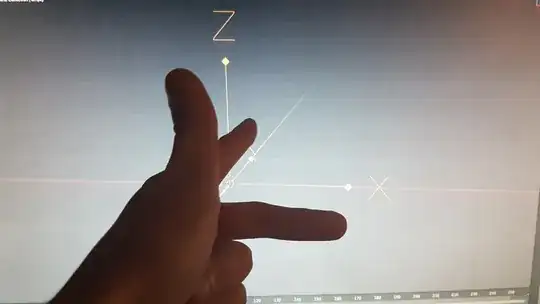
Of course it opposes to right-handed coordinates where the "Y-finger" would point forward.

Blender / Unity

Blender is Z Up / -Y Forward

Unity is Y Up / - Z Forward

Other cases

It's quite conventional that the vertical axis points up (not down), and the X axis points right (not left). However, that's not universal, so the fbx exporter allow every valid Up/Forward combination. (an invalid combination would be something paradoxal like : Z Up, Z Forward).

thibsert
  • 6,092
  • 1
  • 11
  • 17
  • 1
    Blender is +Z Up / +Y Forward, not +Z Up / -Y Forward. From blender manual: Blender uses Y Forward, Z Up (since the front view looks along the +Y direction). For example, its common for applications to use Y as the up axis, in that case -Z Forward, Y Up is needed. If you want to FBX export with coordinates that match the Blender UI you need to set +Y Forward, +Z Up - that way the FBX exporter won't apply any rotation on your coordinates. – Andrew Tomazos Jan 04 '21 at 20:57
  • 1
    Anybody knows if this has a bug? I'm trying to export from Blender to unreal but no matter what I choose as 'forward', the model is always rotated 90 degrees to the same side when imported to Unreal. Either I'm doing something wrong or the export settings in Blender have a bug. (I'm using 2.92.0) – Alexandre Marcati May 25 '21 at 00:01
1

If you are unsure where is the true forward of blender, use this.

enter image description here

That being said, I tested Blender on 2.93 the forward vector based on looking from Back is -Y. Also, Unity use Z forward, not -Z forward.

Conclusion: Blender forwad -Y Unity forward Z

Additional answer how to convert from Blender to Unity

(Setting non-armature)

enter image description here

(Setting armature)

enter image description here

Restu
  • 11
  • 1