2

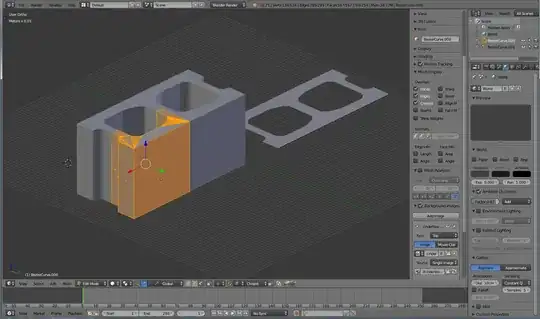
I am using the Mirror Modifier to try to make a cinder block mesh. It is composed of some curves converted to meshes and some manually assembled faces.

It appears to be having trouble with overlapping faces, although I cannot see a reason for that to be happening. I have tried extruding the face that is having the most problem and it fixes it a bit but not entirely. And I am really unsure about the inside lines on the inside of the mesh.
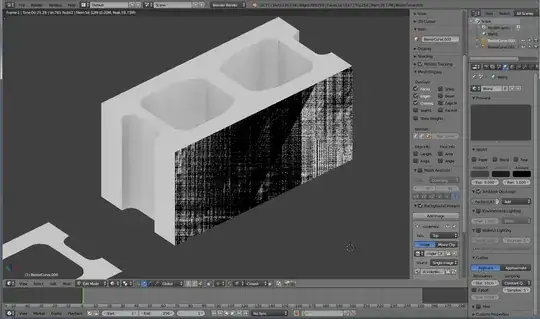
AO black lines front back

835
  • 717
  • 1
  • 11
  • 20
  • maken sure there is no mesh on the otherside of the mirror , also make sure you turn "clipping" on in the mirror modifier – Knuckles209cp Dec 21 '14 at 01:37
  • Better to add a .blend file here. According to the color of the biggest face in 3rd image, I can see many faces overlapped there. – Leon Cheung Dec 21 '14 at 01:40
  • @X-27 This worked. I just selected all and removed doubles. It removed a face that was doubled, though I never created the face... so not sure why this happened. – 835 Dec 21 '14 at 01:43

1 Answers1

6

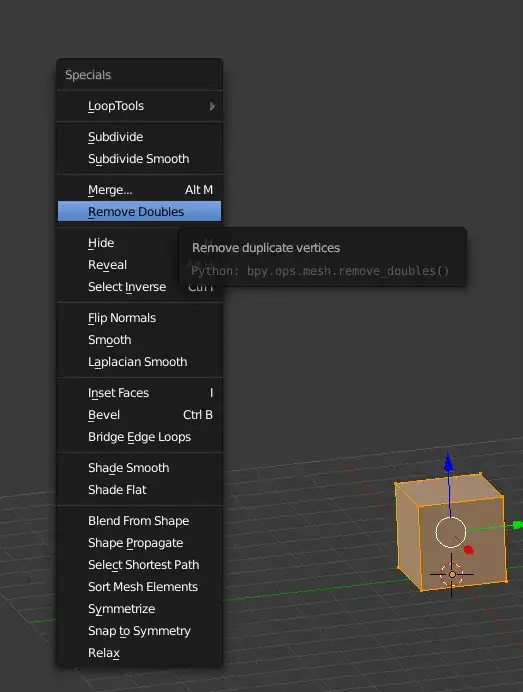
You can fix this by going into edit mode of your object, pressing A (select all), or only select the faces in question manually. Press W to open this menu select remove doubles

enter image description here

you can change the distance of the vertices being merged together by using this input field after pressing remove doubles

enter image description here