suppose you have this object, you want to cut:

Add Mesh -> Circle
Then hit R -> X -> 90 and move on y axis like so:

- Tab for edit mode, go in side view

- select bottom half of circle and hit X -> vertices


select the bottom 2 vertices
press E -> Z -> mouse down as you need -> F

Tab
move this guy up as you need
select this guy, then your object to cut

tab -> A
F3 -> Knife project

choose cut through in the left bottom corner
choose face select
choose x-ray

choose all faces which are inside your cut loop
result:
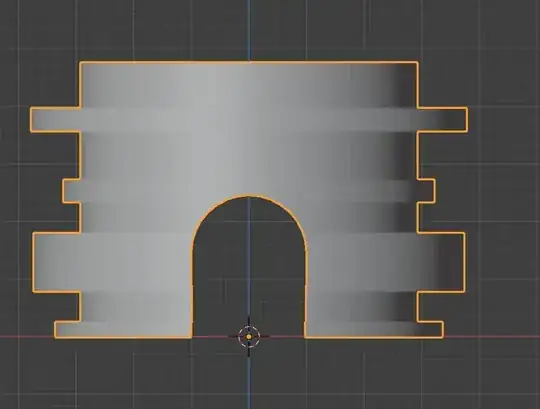
...but...for each face, this is too much work. So you should try it like Gunslinger said and make one face, cut it out and then use array modifier.
So the better way would be:
add cube
cut an arch hole in the cube like i described above

- delete "inner faces" of the arch

- move the result on y axis in edit mode like this

important: notice, that the center point is still at 0,0 (z value does not matter)
- add empty

apply rotation to your cube/arch
add array modifier to cube/arch like this:

- add some rotation z value in empty as you need and adapt count in array as you need ( i used 30 degrees and count 12 )

...and of course there are more possibilies ... ;)
you could build an arch like this (explanation as above):

move the arch inside your object

and then add array modifier like above to arch with empty ...
so you got this:

then add boolean modifier to your object/cylinder and
set viewport visibility to bounds for your arch

and you will get

then add another cylinder like this

and add second boolean on your object for that cylinder and set viewport visibility of this cylinder to bounds to get this


