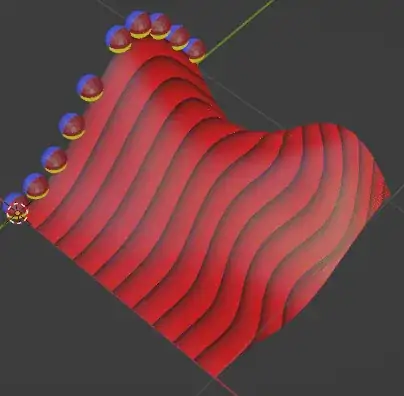
Generating a landscape for testing, where near the Y=0 the plane is flat, and it gets more wobbly further from Y=0:

Wobbly Plane custom group:

You can calculate distance traveled towards each point on the X axis by using Accumulate Field node.
Distance custom group:

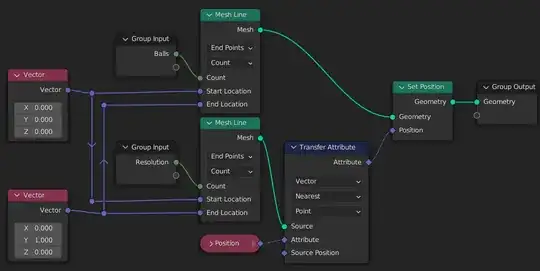
You can now create a mesh line for instancing balls, and align it with the plane geometry, so the balls slide not only on the plane, but precisely on the edges of the plane. Since interpolation will be used later, this step might not be necessary...
Align Instancer custom group:
Now use raycasting to drop the balls on the plane and also read the interpolated distance (how much a ball has travelled on the surface).
Drop Down custom group:

What's left is a very simple custom group Object Info:

Perhaps the magic number 157.075 should be calculated there... I got this number by multiplying π by .5 - as that's the radius of the ball, and then by 100 - I honestly don't know where the 100 comes from. I'd appreciate if someone would explain.
I also added a shader to display the distance on the wobbly plane with 10 cm increments: