8

What's the best way to handle a "split" in retopology? Consider the case of a torso splitting into legs:

A torso with two legs below it; there is a gap separating the two.

In this case, each leg ring is made up of 16 vertices, as is the torso ring. What is the best way to attach these together with clean topology to create a good retopo?

This also applies to standard mesh modeling: what's the best way to create such a split with polygon manipulation?

GiantCowFilms
  • 18,710
  • 10
  • 76
  • 138
wchargin
  • 9,452
  • 5
  • 41
  • 66

2 Answers2

9

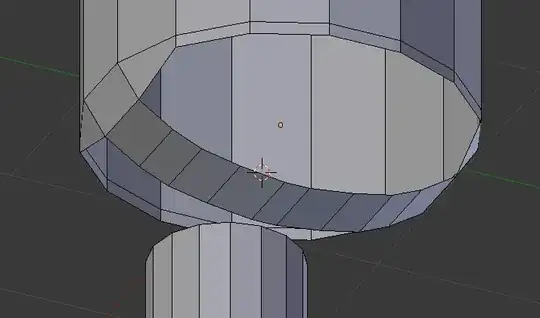
First step. Make flaps bending down between the legs.

Step1

Make a strip between them and make several loop cuts. You may have to experiment to find the correct number of loop cuts. This is important if you want to have an all quad model. The total number of edges around the opening must match the leg.

Step2

Round out the strip to match the correct shape.

Step3

Select the two loops and bridge them. If you have the correct number of loop cuts in the strip between the flaps, this should be all quads. Else you will get triangles.

Step4

Further adjust the geometry to make the bridged area more even.

Step5

Final result:

Step6

Gunslinger
  • 6,392
  • 2
  • 28
  • 40
-1

This is how I would do it to maintain Quads, and hence good edge flow. As you see I did it in half first, always easier than repeating yourself.

enter image description here

Mark B Tomlinson
  • 999
  • 1
  • 8
  • 16
  • 1
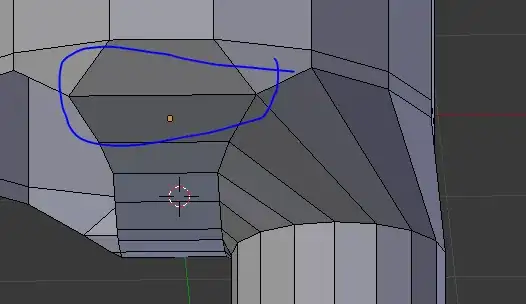
    I dont think that your edge flow is all good. Around the diamond shapes it will go vertical, around the diamond, around the leg horisontal, around another diamond and then shift down. It will be hard to make additional loopcuts on some places. Also, the face loop will follow the same pattern in some places (up, around and down). – Gunslinger Sep 15 '13 at 19:25
  • @Gunslinger: even so, the answer describes the work-flow quite well, and the user can tweak the edge flow to their liking. – ideasman42 Sep 15 '13 at 22:46