I want to use ListAnimate to show an animation but I want to remove the slider and all of the buttons from the top and show the animation panel only. There is an AppearanceElements -> None option but it doesn't remove the slider and the other buttons. How can I remove all of the controls?
Asked
Active
Viewed 3,354 times
13

Sjoerd C. de Vries
- 65,815
- 14
- 188
- 323

Helium
- 4,059
- 24
- 41
3 Answers
19
If you look at underlying code:
ListAnimate[Table[Plot[Sin[n x], {x, 0, 10}], {n, 25}]] // InputForm
at the end you'll find:

which leads to a trick:
ListAnimate[Table[Plot[Sin[n x], {x, 0, 10}], {n, 25}]] /.
 HoldPattern[AppearanceElements -> _] -> (AppearanceElements -> None)
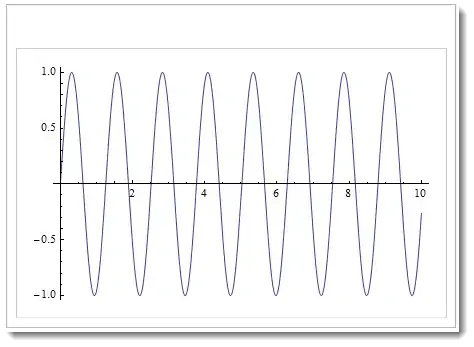
In the spirit of @Mr.Wizard comment you can also do something like:
ListAnimate[Table[Plot[Sin[n x], {x, 0, 10}], {n, 25}],
  Paneled -> False] /. (AppearanceElements -> _) -> (AppearanceElements -> {})
which a bit changes things.

Vitaliy Kaurov
- 73,078
- 9
- 204
- 355
-
2Nice trick. You don't need
HoldPatternby the way. This still leaves the space for the controls; can you remove that too? – Mr.Wizard Oct 14 '12 at 09:25 -
1@Mr.Wizard thanks :) hmmm... not sure about space. I added something at the end of the answer. – Vitaliy Kaurov Oct 14 '12 at 09:43
-
3If you cannot apply
AppearanceElements->Nonedirectly as an option, surely that must be a bug? – Mike Honeychurch Oct 14 '12 at 23:59 -
6
Update: go through the list every 2 seconds and stop after 5 repetitions:
list = Table[Plot[Sin[x + n], {x, 0, 3 Pi}, PlotRange -> {-1, 1}], {n, -2 Pi, 2 Pi, Pi/40}];

Dynamic[list[[Clock[{1, Length@list, 1}, 2, 5]]]]

Original post:
Since
ListAnimategenerates aManipulateobject containing anAnimator(docs)
With explicit lists as input, say,
list = Table[Plot[Sin[x + n], {x, 0, 3 Pi}], {n, 0, 2 Pi, Pi/20}];
the animation produced by ListAnimate[list...] can also be produced using Manipulate or Animator specifying the Animator option settings directly (instead of post-processing the Manipulate object generated by ListAnimate).
Manipulate[list[[k]], {{k, 1, ""}, 1, Length[list], 1,
      ControlType -> Animator, AnimationRate -> 15,
      AnimationRunning -> True, AppearanceElements -> {}},
  AppearanceElements -> None, Paneled -> False]
or
DynamicModule[{j},
  Column[{Animator[Dynamic[j], {1, Length@list, 1}, 15,
       AnimationRunning -> True, AppearanceElements -> None],
  Dynamic[list[[j]]]}]]


kglr
- 394,356
- 18
- 477
- 896
-
This is impressive as the file size is dramatically reduced, at least in my case working with
DensityPlot+1. – José Antonio Díaz Navas Oct 29 '22 at 11:41
3
I don't know how to do that. Perhaps you are open to an alternative?
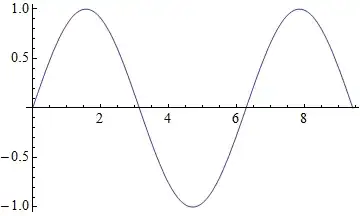
animate[list_List, rate_?Positive] := DynamicModule[{x = list},
  Dynamic[First[x = RotateLeft@x], UpdateInterval -> 1/rate, TrackedSymbols -> {}]]

list = Table[Plot[Sin[x + n], {x, 0, 3 Pi}], {n, 0, 2 Pi, Pi/20}];

animate[list, 15]

Mr.Wizard
- 271,378
- 34
- 587
- 1,371
-
It's too slow on my machine but it's what I am looking for.
ListAnimatelooks 10x faster to me. I want to make an interactive user interface, so being fast is a must. – Helium Oct 14 '12 at 09:07 -
ControlType->Nonewill do this but there will be no animation but only a rasterized image. – Kuba Apr 26 '14 at 09:56