17

I find it very convenient to use Mathematica notebooks to organize the codes + results.

I was wondering if it is possible to insert an animated image (say an animated gif) in the middle of a notebook.

I tried dragging and dropping an animated gif into a notebook, the gif itself was created using Mathematica. Mathematica imports it and I see a bunch of images in the notebook. This suggests one solution: using a Manipulate or Animate, with those bunch of images. But is there a less tedious and more elegant way?

Yves Klett
  • 15,383
  • 5
  • 57
  • 124
my account_ram
  • 2,158
  • 11
  • 25
  • 8
    Import["pp.gif", "Animation"] ? – Dr. belisarius Mar 15 '12 at 18:32
  • fyi, I have asked the same question here http://forums.wolfram.com/mathgroup/archive/2012/Feb/msg00070.html Is there a trick to embed an animated gif file in a Mathematica notebook? (The gif file do not have to 'run' while inside the notebook, I am only interested in the HTML export version this was in Feb 2012 but there was no answer. notebook?` – Nasser Aug 14 '13 at 18:11

3 Answers3

12

The credits go to belisarius and the Mathematica help (ref/format/GIF), but I thought the comment would be worth an answer.

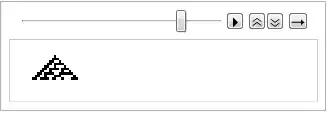
Import["ExampleData/cellularautomaton.gif", "Animation"]

Mathematica graphics

tjm167us
  • 993
  • 5
  • 12
Yves Klett
  • 15,383
  • 5
  • 57
  • 124
9

Unfortunately I don't know of any simple and convenient ways.

You can import the GIF first:

frames = Import["http://i.imgur.com/ivfdq.gif"];

Then you can use ListAnimate to get an animation:

ListAnimate[frames]

For completeness I'll mention that pre-6 versions could also animate. Scan[Print, frames] will give you each frame in separate cells. Now close the cell group by double clicking its bracket and press Ctrl-Y or Ctrl-Shift-Y to start the animation. This still works in version 8.

Szabolcs
  • 234,956
  • 30
  • 623
  • 1,263
  • (Slightly OT): Is there some way to import the animated GIF and have it appear animated -- but without the frame and Animator element? – murray Mar 20 '12 at 18:57
  • @murray Well, you can always hack together something manually ... list = Range[100]; DynamicModule[{i = 1}, Dynamic[Refresh[list[[i = Mod[i + 1, Length[list], 1]]], UpdateInterval -> 1/4], TrackedSymbols -> {}] ] – Szabolcs Mar 21 '12 at 09:23
  • @murray Try Dynamic@frames[[Clock[{1, Length@frames, 1}, Length@frames/30.]]] or perhaps less satisfactorily ListAnimate[frames, Paneled -> False] /. HoldPattern[AppearanceElements -> _] -> AppearanceElements -> None -- Oops, I just noticed how old this is...oh, well. – Michael E2 Aug 14 '13 at 18:21
7

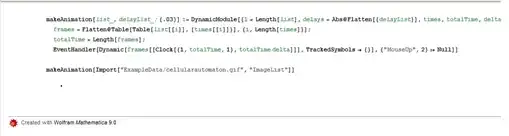
Here is one more attempt to get almost the exact appearance of an animated GIF without the playback controls. I don't recommend putting too many of these into a notebook, though:

makeAnimation[list_, delayList_: {.03}] := 
 DynamicModule[{l = Length[list], delays = Abs@Flatten[{delayList}], 
   times, totalTime, delta = .03, frames}, 
  times = Round[.5 + PadRight[delays, l, delays]/delta];
  frames = 
   Flatten@Table[Table[list[[i]], {times[[i]]}], {i, Length[times]}];
  totalTime = Length[frames];
  EventHandler[
   Dynamic[frames[[Clock[{1, totalTime, 1}, totalTime delta]]], 
    TrackedSymbols -> {}], {"MouseUp", 2} :> Null]]

makeAnimation[ Import["ExampleData/cellularautomaton.gif", "ImageList"]]

gif

You can copy this animation by selecting its cell bracket. It's persistent across notebooks, too.

Jens
  • 97,245
  • 7
  • 213
  • 499
  • Pretty slick. +1 – Mr.Wizard Aug 14 '13 at 18:33
  • Nice. But the animation is not seen in the HTML exported file. That is what I really wanted all along. Here is screen shot Mathematica graphics and here was my original question on this http://forums.wolfram.com/mathgroup/archive/2012/Feb/msg00070.html it would be nice if M can use the animation as animated gifs when exporting to HTML and also PDF (since PDF can have animations in them these days). – Nasser Aug 14 '13 at 18:53