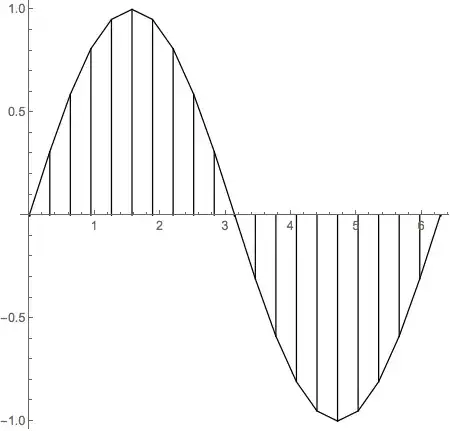
Here is one way to visualize the trapezoidal method. It's not the most elegant way. It's been written as a step-by-step module so the code will be easy to understand.
func is the function to be integratedxmin is the lower boundxmax is the upper boundsteps is how many steps to take when approximating the integral; i.e., how many trapezoids to use.aspect (optional argument) gives the aspect ratio for the plot. When not given, Mathematica chooses the value.
visualTrapezoidRule[func_, xmin_, xmax_, steps_, aspect_: Automatic] :=
   Module[{pts, verticals, caps},
     pts = Table[{x, func[x]}, {x, Subdivide[xmin, xmax, steps]}];
     verticals = Line[{{#[[1]], 0}, #}] & /@ pts;
     caps = Line @ pts;
     Graphics[{verticals, caps}, AspectRatio -> aspect, Axes -> True]]
Note: func must be a symbol bound to a function or pure function. This simplified implementation is not designed to take math expressions like 1 + Cos[x].
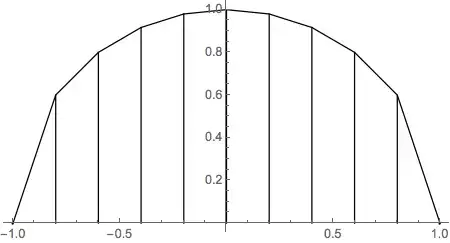
visualTrapezoidRule[Sqrt[1 - #^2] &, -1, 1, 10]
visualTrapezoidRule[Sin, 0, 2 π, 20, 1]