I don't quite think you can emulate this with DensityHistogram, but since all it does is computing the 2D histogram and plotting it, we could do those steps ourselves and use ArrayPlot with its nice PixelConstrained option.
Here's a proof of concept:
SeedRandom[1];
data = RandomVariate[BinormalDistribution[.5], 50000];
{bins, counts} = HistogramList[data, {100, 100}];

ArrayPlot[counts, DataReversed -> True,
    DataRange -> (Through[{Min, Max}@#] & /@ bins),
    FrameTicks -> {True, True, False, False}, ImageSize -> 500,
    ColorFunction -> "LakeColors", ColorRules -> {0 -> White},
    PixelConstrained -> True, Frame -> True, PlotRange -> {{-4, 4}, {-4, 4}}
]
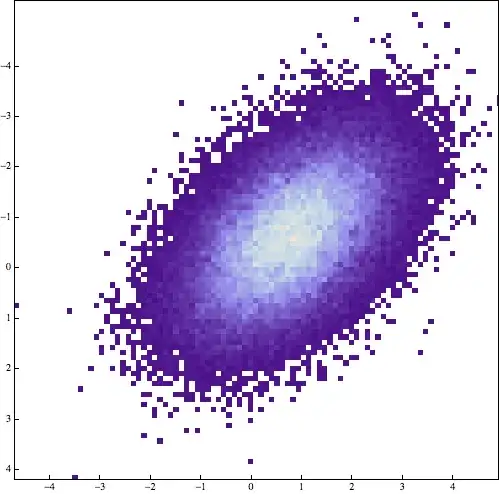
Note that you still need to get the data reversal right and the ticks going the right way to mimic DensityHistogram exactly, but that's a minor detail and I'll leave that to you.


Cases[DensityHistogram[ RandomVariate[BinormalDistribution[.5], 50000], {100, 100}], RectangleBox[a___] :> EuclideanDistance@a, Infinity] // Unionto see what the kinds of rectangle sizes are present in the plot. They are all virtually the same. I must assume what you see is some kind of aliasing with the pixel raster of your screen. – Sjoerd C. de Vries Mar 08 '13 at 21:35PixelConstrained– rm -rf Mar 08 '13 at 21:37Antialiasing -> True. – whuber Apr 03 '13 at 21:49