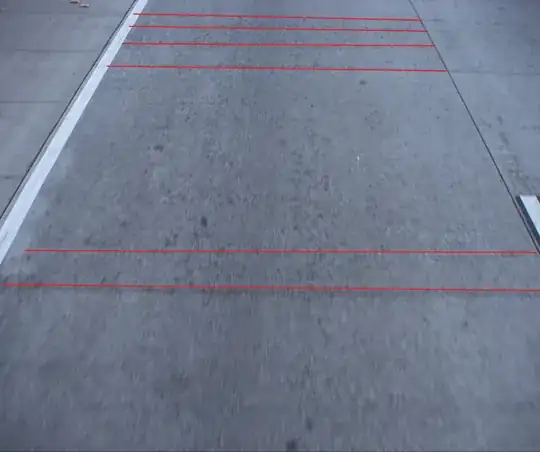
Setting img to the result of downloading and importing your image,
img = Import["https://i.stack.imgur.com/ZObmf.jpg"]

rasImg = Rasterize[img, RasterSize -> 100];
edges4 = EdgeDetect[rasImg, 2, 0.030, "StraightEdges" -> 0.14]
imgLines4Sep1 = ImageLines[edges4, 0.05, 0.01];
Graphics[Line /@ imgLines4Sep1]

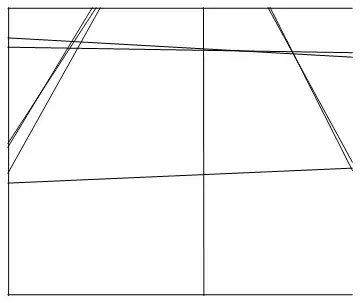
yields a picture featuring at least some of your lines.
I do not have any experience in this area, so maybe this is not at all impressive. I rasterize because applying some functions on the .jpg img that I downloaded and imported took really long (or did not work at all, who knows). I experimented a little and figured this might be worth sharing.
Redoing things for the imgur image
The parameters in the code above were chosen for the image I downloaded, which as it turns out is slightly different from the one that is imported from imgur.com using the url in Import above. The code below should yield a nicer result. First I define two little functions to help us.
showLines[lines_] := Graphics[Line /@ lines]
horizontalQ[expr_, angle_] :=
 Function[-angle <= # <=
    angle]@(Function[xxxx,
     If[xxxx == 0, 0,
      ArcTan[Abs[expr[[2, 2]] - expr[[1, 2]] ]/xxxx]]]@
    Abs[expr[[2, 1]] - expr[[1, 1]]]);
Now lets generate some images
edges6 = EdgeDetect[rasImg, 2, 0.022, "StraightEdges" -> 0.11]
imgLines6Sep2 = ImageLines[edges6, 0.03, "Segmented" -> True];
horImgLines6Sep2 =
  Select[imgLines6Sep2, horizontalQ[First[#], 0.01 Pi] &];
showLines[imgLines6Sep2]
showLines[horImgLines6Sep2]
In the last picture I have only selected horizontal lines. This makes it a bit harder to see where these lines are in the original picture, but at least it shows how you can use horizontalQ to select horizontal lines. Note that the lines continue to the left of the road, which is a bit of a shame.
 And the horizontal lines of interest are shown in the second picture: