1

When I put Antialiasing -> True in a BarChart3D, it doesn't work. Here is the code.

BarChart3D[{{1, 2, 3},{2,3,4}}, 
  ChartStyle -> None, 
  ChartLayout -> "Grid", 
  Ticks -> None, 
  Antialiasing -> True]
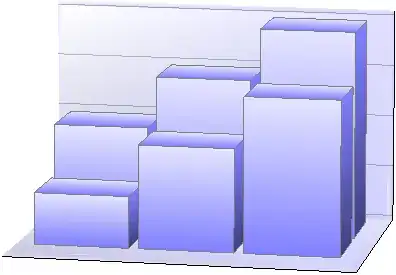
BarChart.png

How can I apply anti-aliasing to a BarChart3D?

m_goldberg
  • 107,779
  • 16
  • 103
  • 257
user7409
  • 11
  • 1
  • Is antialiasing enabled in Preferences? – cormullion May 12 '13 at 08:12
  • @cormullion Sure:) I've also enabled AA in GPU setting(NVIDIA control panel, for me). – user7409 May 12 '13 at 08:23
  • So it's a platform thing. With more details, perhaps others can help. – cormullion May 12 '13 at 08:33
  • Yes, please add details (version, OS, video card, picture). – Sjoerd C. de Vries May 12 '13 at 09:14
  • Mathematica8.0, windows7(64bit), GeforceGTX560Ti, http://www5.picturepush.com/photo/a/12911163/640/12911163.png – user7409 May 12 '13 at 09:31
  • Is Antialiasing a valid option for BarChart3D? (Not at a Mathematica machine at the moment?) – cormullion May 12 '13 at 09:55
  • 1
    @user7409 From the documentation, it looks like Antialiasing is a Style option, not a BarChart3D option, so you have to wrap the bar chart in a Style. – amr May 12 '13 at 09:57
  • @user7409 This appears to be a graphics card issue. With Mathematica9.0, windows7(64bit) and the GTX560Ti I get unexpected behavior. M9 on Win8 with integrated graphics gives me a slightly crisper output with antialiasing. – bobthechemist May 12 '13 at 11:28
  • Antialiasing in 3D requires hardware support. If your hardware (or driver) doesn't support it, here's a workaround: http://mathematica.stackexchange.com/a/200/12 – Szabolcs May 12 '13 at 15:56
  • Is it just BarChart3D that has the problem? Do you get antialiasing on other 3D graphics? – Simon Woods May 12 '13 at 19:26
  • @SimonWoods BarChart3D only :( – user7409 May 12 '13 at 22:20
  • I don't see any anti-aliasing on Style[Graphics3D[Cuboid[{1, 1, 1}]], Antialiasing -> True] – SEngstrom May 13 '13 at 02:37
  • @SEngstrom Do you have it turned on in Preferences -> Appearance -> Graphics? If moving that slider does nothing then your hardware probably doesn't support it. – Szabolcs May 13 '13 at 14:36
  • @user7409 It sounds quite unlikely ... you mean that Plot3D[Sin[x^2 + y^2], {x, -1, 1}, {y, -1, 1}] does have antialiasing? Or only 2D graphics do? – Szabolcs May 13 '13 at 14:37
  • Missed the setting (MMA9.0/Ubuntu12.04/nvidia gtx550ti) and 3D plots now snap into anti-aliased form after I stop manipulating them (rotating etc). 2D plots were properly anti-aliased without turning on that setting. – SEngstrom May 13 '13 at 19:48
  • The option Antialiasing -> True is inappropriate for Graphics3D. Moving the slider in Preferences > Appearance > Graphics sufficiently to the right should cure this problem. – m_goldberg Aug 10 '13 at 22:33
  • This question is answered here. – m_goldberg Aug 10 '13 at 22:42

1 Answers1

0

For what it's worth I believe the correct syntax is:

BarChart3D[{{1, 2, 3}, {2, 3, 4}}, ChartStyle -> None, ChartLayout -> "Grid", 
  Ticks -> None, BaseStyle -> Antialiasing -> True]

but as stated above your hardware must support it.

Mr.Wizard
  • 271,378
  • 34
  • 587
  • 1,371
  • Won't work either. http://www1.picturepush.com/photo/a/12918114/1024/Anonymous/K-20130513-232355.png – user7409 May 12 '13 at 21:30
  • @user7409 do you have anti-aliasing in any 3D graphics inside Mathematica? – Mr.Wizard May 12 '13 at 21:38
  • Sure. Everything's fine except BarChart3D. I've found that the axes are fine. http://www3.picturepush.com/photo/a/12918356/1024/Anonymous/K-20130513-269605.png – user7409 May 12 '13 at 22:31
  • @user7409 would you give me (in the question, because it won't fit in a comment) the output of Options[BarChart3D]? – Mr.Wizard May 13 '13 at 03:40
  • Using V9.0.1 on OS X, I find BaseStyle -> Antialiasing -> True accomplishes nothing if the slider in Preferences > Appearance > Graphics is to the far left. Moving the slider sufficiently to the right adds anti-aliasing even if this option is not set. – m_goldberg Aug 10 '13 at 22:28
  • @m_goldberg If you look at the image linked two comments above your you will see that the user already has antialiasing enabled and working for other 3D graphics; the problem is specific to BarChart3D. That differentiates this question from the one you have proposed as a duplicate. Unfortunately he never returned to further attempt to resolve this. – Mr.Wizard Aug 10 '13 at 23:01
  • @m_goldberg If it's a duplicate its a duplicate of this; I suspect limited hardware/drivers that can't handle AA on transparent graphics, which BarChart3D uses. – Mr.Wizard Aug 10 '13 at 23:07
  • FWIW, there is a GraphicsGroup3DBox with the setting Antialiasing -> False in the InputForm of the BarChart3D output (V9). However, it is separate from the main graphics, with no effective content, so I can't see how that could affect the OP. I cannot reproduce the OP's problem on my machine, so I'm left guessing. – Michael E2 Aug 11 '13 at 03:40