Animate[
  Manipulate[
   ParametricPlot[ Evaluate[{x[t], v[t]} /.
    Quiet @ NDSolve[
     {x'[t] == v[t],
     v'[t] == μ (1 - x[t]^2) v[t] - x[t] + A*Cos[ω*t],
     x[0] == xv0[[1]], v[0] == xv0[[2]]}, {x[t], v[t]}, {t, 0, tt}]],
    {t, 0, tt}, ImageSize -> {450, 450}, PlotRange -> 4,
    AxesLabel -> {TraditionalForm[x[t]], TraditionalForm[v[t]]},
    PlotStyle -> PointSize[.5]
  ],
  {{μ, 0.75, "parameter μ"}, 0, 3, 0.01, Appearance -> "Labeled"},
  {{ω, 0.75, "parameter ω"}, 0, 3, 0.01, Appearance -> "Labeled"},
  {{A, 0.75, "parameter A"}, 0, 3, 0.01, Appearance -> "Labeled"},
  {{xv0, {1, 1}}, {-4, -4}, {4, 4}, Locator}], {tt, 0, 200},
  AnimationRate -> 3, AnimationRepetitions -> 3, AnimationRunning -> True
]
Asked
Active
Viewed 1.7k times
23


5 Answers
22
You have to set values which are dynamic in Manipulate.
μ = .75; ω = .75; A = .075; xv0 = {1, 1};
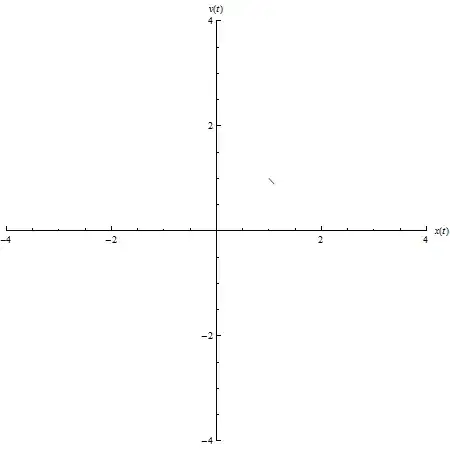
Table pictures for different tt:
sol = Quiet@NDSolve[{x'[t] == v[t], v'[t] == μ (1 - x[t]^2) v[t] - x[t] + A*Cos[ω*t],
                     x[0] == xv0[[1]], v[0] == xv0[[2]]
                    }, {x[t], v[t]}, {t, 0, 20}];

dat = Table[
            ParametricPlot[Evaluate[{x[t], v[t]} /. sol, {t, 0, tt},
                           PlotRange -> 4, AxesLabel -> {x[t], v[t]}]
            , {tt, .1, 20, .2}];
Create gif.
SetDirectory@NotebookDirectory[]
Export["gif.gif", dat]

Kuba
- 136,707
- 13
- 279
- 740
-
Can you include a slider by this method too where you can decide the speed of the animation? So other format needed too then. Any possibilities with Mathematica? – Léo Léopold Hertz 준영 Dec 29 '14 at 21:29
-
1@Masi You can add DisplayDurations option: http://mathematica.stackexchange.com/a/29485/5478 – Kuba Dec 29 '14 at 21:30
-
But I want the user to decide real-time the speed of animation. So I think gif is not a choice. – Léo Léopold Hertz 준영 Dec 29 '14 at 21:34
-
@Masi you can save
Manipulate/Animateas CDF. If not then it does not matter if you use gif or other movie extension, you need a player able to specify frames per second. (I hope I get your question) – Kuba Dec 29 '14 at 21:49 -
Do You mean that you can have this kind of speed bar in the animation in Gif too? http://stackoverflow.com/q/27680783/54964 – Léo Léopold Hertz 준영 Dec 29 '14 at 22:09
16
You can capture the frames as you manually manipulate like this:
 frames = {}
 Animate[Manipulate[(AppendTo[frames, ParametricPlot[ ... ] ])[[-1]] .. ]  ]
disable dynamic updating when done, then
Export["test.gif",frames]
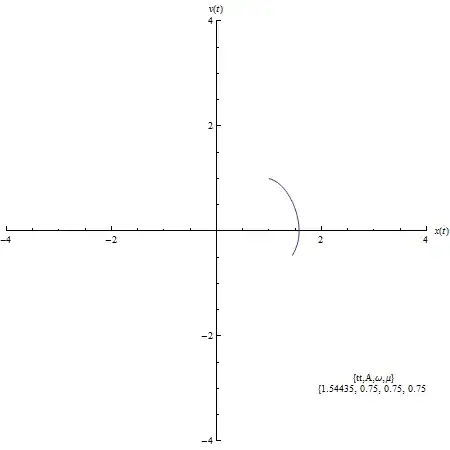
warning this will quickly generate a large number of frames..

george2079
- 38,913
- 1
- 43
- 110
9
You can adjust the step size by changing the increment in the Table and you can adjust the animation rate using "DisplayDurations", e.g. for the Table above.
Export["dat.gif",dat, "DisplayDurations"->Table[t,{Length[dat]}]]
where t is display duration in seconds (frame rate: 1/t). Other options for exporting are in the GIF documentation

ubpdqn
- 60,617
- 3
- 59
- 148

3
I did not take a deep look at your code,but since you are using animate command,I suppose that your code is producing an animation which you can export it as movie into your powerpoint slides.
Export["test.avi",%]
which produces an .avi movie in your document folder.

Ahmad Sheikhzada
- 153
- 8
-
works for me, while .mov does not work. Takes a long time to finish though. – ivbc May 16 '17 at 18:05
Exportetc.), but I moved from GIF to MOV which works nicely as described here: http://mathematica.stackexchange.com/a/4236/131. The quicktime movies have true color and integrate nicely into Powerpoint. – Yves Klett Jun 18 '13 at 14:32Exportshould be list of pictures. It is written in help. – Kuba Jun 18 '13 at 14:46