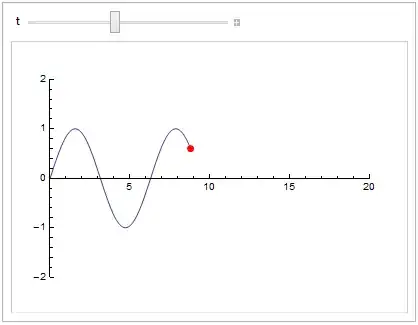
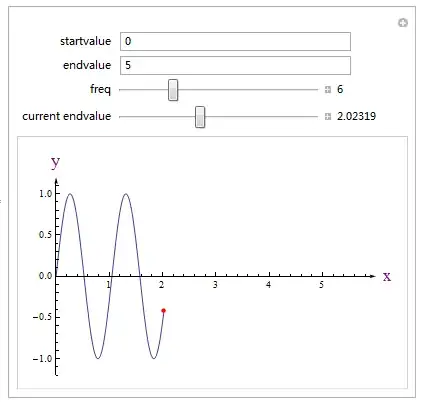
I would link one of the controls to the other. Make one (t) update the other (p) inside Dyanmic. Make the other update the one inside the body of Manipulate. Then track the other (p). I chose to track p because creating a custom slider is easier than creating a custom locator.
f[x_] := Sin[x];
Manipulate[With[{x0 = Clip[p[[1]], {0.001, 20}]},
  t = x0;
  Plot[f[x], {x, 0, t}, ImagePadding -> 20,
   PlotRange -> {{0, 20}, {-2, 2}},
   LabelStyle -> (FontFamily -> "Ariel"),
   Epilog -> {PointSize[Large], Red,
     Tooltip[Point[#], #] &@{x0, f[x0]}}]],
 {t, 0.001, 20,  Manipulator[Dynamic[t, (p[[1]] = t = #) &], ##2] &},
 {{p, {0, 0}}, Locator, Appearance -> None},
 AppearanceElements -> None,
 TrackedSymbols :> {p}]
Update for V10+.
The control for t can now be constructed with TrackingFunction:
{t, 0.001, 20, TrackingFunction -> ((p[[1]] = t = #) &)}
How to write custom controls is discussed in Advanced Manipulate Functionality. Custom controls are declared in a Manipulate by pure Functions, often used in the form ctrl[##] &. Manipulate passes several arguments to the control. The first argument is Dynamic[t], where t is the control's variable. The second argument is generally a List of the data that appears in the variable declaration (e.g. {0.001, 20} in the control for t). Any other arguments are usually options. We needed to override just the first argument with a custom Dynamic. The rest of the arguments, represented by ##2, are passed as is. In this case, one could use #2 instead of ##2; one could also explicitly pass {0.001, 20} and skip the # slots altogether.
The custom Dynamic links the slider to the locator: The locator's x coordinate is reset whenever the slider is moved. The link from the locator back to t is done in the body of the Manipulate by t = x0.
Finally, the way dynamic updating works can be subtle. If a symbol var is being tracked and the value of var is changed in the body of the Manipulate during an update, another update will be generated; this causes the body to be executed a again. (Sometimes this leads to infinite loops.) If t were a tracked symbol, then the Manipulate body would execute twice each time the control or locator was moved. (On the second evaluation, t is set to its old value, so a new update is not generated.) For this reason, I excluded it from being tracked by means of the TrackedSymbols option. The way it is now is that if the t slider is moved both t and p change values; the change in p causes an update and the graph is redrawn. And if p changes by clicking on the graph, an update is generated that changes t and redraws the graph.