10

I have two ArrayPlots that I would like to align but my "tweaking" failed yet. I would like each "row" to be aligned.

lista = RandomReal[{0, 1}, 10];
listb = Table[RandomReal[{0, 1}, 10], {1000}];

Row[{ArrayPlot[{Table[0, {Length@lista}], lista}\[Transpose], 
                Frame -> False,
                AspectRatio -> 6/1, 
                ImageSize -> {100, 700}], 
     ArrayPlot[listb\[Transpose], 
               AspectRatio -> 3.5/6, 
               ImageSize -> {1200, 700}, 
               Frame -> False]}]
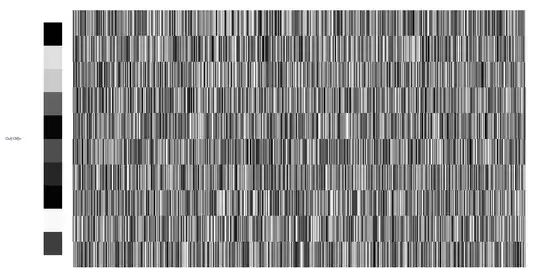
enter image description here

Verbeia
  • 34,233
  • 9
  • 109
  • 224
500
  • 5,569
  • 6
  • 27
  • 49

2 Answers2

12

In this particular instance, you can align the two array plots within a row by specifying each ImageSize to have the form {Automatic, h}, for some common h, and also making PlotRangePadding and ImagePadding both be none, like so:

Row[{
  ArrayPlot[List /@ lista, ImageSize -> {Automatic, 250}, 
   Frame -> False,
   PlotRangePadding -> None, ImagePadding -> None],
  ArrayPlot[Transpose@listb, AspectRatio -> 1/GoldenRatio,
   ImagePadding -> None, PlotRangePadding -> None,
   ImageSize -> {Automatic, 250}, Frame -> None]}
]

This yields:

enter image description here

Pillsy
  • 18,498
  • 2
  • 46
  • 92
6

Simply use the options ImageSize -> {Automatic, 300}, PlotRangePadding -> 0 in both plots. Adjust the height to your liking, 700 pixels is much too large for my screen, so I used 300. If you have labels/axes, also set ImagePadding to a non-Automatic value.

Szabolcs
  • 234,956
  • 30
  • 623
  • 1,263
  • Can you check if it's a dupe of the above two questions I linked to? I don't have an mma to test. – rm -rf Apr 10 '12 at 15:43
  • At least on my machine, I still needed to set ImagePadding without frames or axes. – Pillsy Apr 10 '12 at 15:47
  • @R.M Well, it's closely related, but I wouldn't close as a dupe this time ... my question was focusing on making sure that both graphics fit tightly in their cells, while the more recent question needs ImagePadding, while here PlotRangePadding is the key. – Szabolcs Apr 10 '12 at 15:53
  • @Pillsy On WinXP it works fine without an explicit ImagePadding (there's a margin but they're the same for the two figures), but yes, I can imagine that it is fragile without that. – Szabolcs Apr 10 '12 at 15:53
  • +1 It is what I was going to answer, and looks good enogh in Mma 8.0.0 Win Xp – Dr. belisarius Apr 10 '12 at 17:54