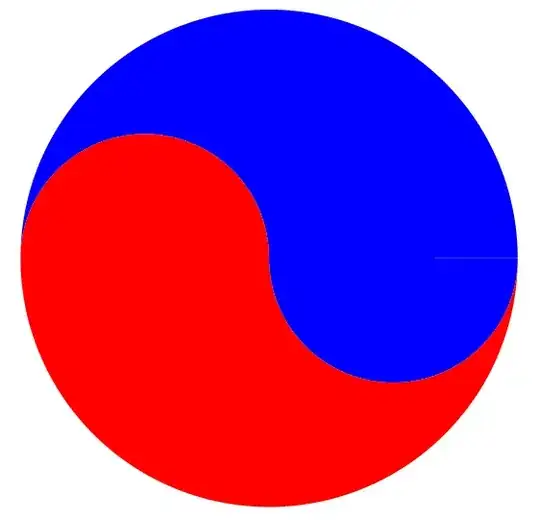
The current code is :
ParametricPlot[{
  {Cos[t] + 1/2, Sin[t]}*10,
  5 {Cos[t/2], Sin[t/2]},
  5 {Cos[t/2 + Pi] + 2, Sin[Pi + t/2]},
  If[r < 1.1, r {Cos[t] + 10/r, Sin[t]}],
  If[r > .9 && r < 2.1, (r - 1) {Cos[t], Sin[t]}]
  },
 {t, -0.1, 2 Pi + 0.1}, {r, 0, 5}, MeshFunctions -> {#4 &},
 Mesh -> {{0, 1, 5}}, MeshShading -> {Red, Blue}, PlotRange -> All,
 Frame -> {False, False}, Axes -> None, PlotStyle -> {Red, Red, Red}]
and its output:
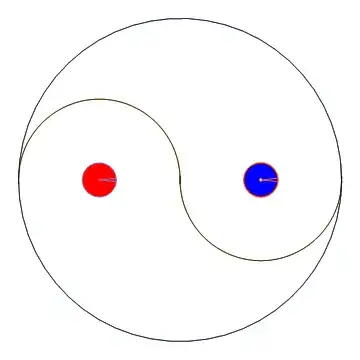
How to fill the close areas with blue neighbored by red?
Update 1 : I want to see whether it is possible to create such figure by using ParametricPlot and the region filling options.
Update 2
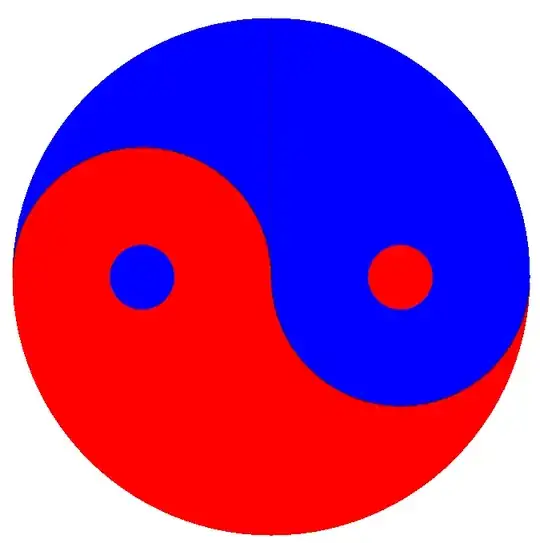
Desired result should be similar to:
 Obtained by:
Graphics[{Red, Disk[], Blue,
  Polygon[Join[Table[{Cos[a], Sin[a]}, {a, Pi, 2 Pi, Pi/360}],
    Table[{-1/2, 0} + {Cos[a], Sin[a]} /2, {a, 0, Pi, Pi/360}],
    Table[{1/2, 0} + {Cos[a], Sin[a]} /2, {a, Pi, 2 Pi, Pi/360}]]],
  Blue, Disk[{+1/2, 0}, 1/8], Red, Disk[{-1/2, 0}, 1/8]},
 ImageSize -> Large]
Another similar but undesired implementation is:
Plot[{Sqrt[1 - x^2], -Sqrt[1 - x^2], Sqrt[x - x^2], -Sqrt[-x - x^2],
  Sqrt[0.025 - (x - 0.5)^2], -Sqrt[0.025 - (x - 0.5)^2],
  Sqrt[0.025 - (x + 0.5)^2], -Sqrt[0.025 - (x + 0.5)^2]}, {x, -1, 1},
 Filling -> {1 -> {Axis, Red}, 2 -> {{4}, Blue}, 2 -> {Axis, Blue},
   3 -> {Axis, Blue}, 4 -> {Axis, Red}, 5 -> {{6}, Red},
   7 -> {{8}, Blue}}, AspectRatio -> Automatic, Axes -> False,
 PlotStyle -> None,
 ImageSize -> Large]
which gives:

Update 3
Inspired by ubpdqn's answer below, I tried the following code:
ParametricPlot[{u {-Sin[t], Cos[t]}, u {Sin[t], Cos[t]}}, {t, 0,
  Pi}, {u, 0, 1},
 MeshFunctions -> {(Boole[(
       If[#1 <= 0,
        #2 - Sqrt[0.25 - (#1 + 0.5)^2] >= 0 || (#1 + .5)^2 + #2^2 <
          1/64,
        #2 + Sqrt[0.25 - (#1 - 0.5)^2] >= 0 && (#1 - .5)^2 + #2^2 >
          1/64]
       )] &)}, Mesh -> {{0.1}}, MeshShading -> {Blue, Red},
 PlotPoints -> 70,
 Frame -> False, Axes -> False, BoundaryStyle -> None,
 ImageSize -> Large]
which gives:

and should be the right answer.