8

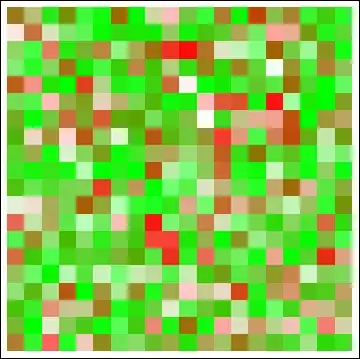
I have two ArrayPlots, and I want to overlap them as it is done here.

For clarity, suppose

Array1 = RandomReal[{0, 1}, {3, 2}]; 
Array2 = RandomReal[{0, 1}, {3, 2}];

and the first ArrayPlot uses ColorFunction -> (Blend[{White,Yellow},#]&), and the second uses ColorFunction -> (Blend[{White,Blue},#]&).

I'd like to combine them in such a way I end up with an ArrayPlot with White, Yellow, Blue and Green shades.

Thanks for your attention.

Pragabhava
  • 1,619
  • 15
  • 24
  • Won't the top plot completely block the bottom one? Do you mean set an opacity for top level see-through? - judging by your green color in question. – Vitaliy Kaurov Jun 26 '12 at 03:51
  • 2
    There is one big difference between the linked example of overlapping histograms and this question of overlapping array plots: The dimensions of Array1 and Array1 are identical, so there is never any partial overlap. For that reason, I can't see why you don't just create a third new array (e.g. the sum) from the two given ones and plot that with the desired color scheme. It would be a much cleaner solution, I think. – Jens Jun 26 '12 at 06:39
  • I'm not sure about this, as I must be able to see from which array are some points that can have roughly the same values, i.e. A1[[1,1]] = 0.5, A1[[1,2]] = 0, A2[[1,1]] = 0, A2[[1,2]] = 0.5, the sum would be the same, but I'd like the point (1,1) to be a shade of Yellow, while the point (1,2) to be a shade of Blue. – Pragabhava Jun 26 '12 at 16:02

3 Answers3

8

How about this?

ImageMultiply @@
 Table[
  ArrayPlot[RandomReal[{0, 1}, {5, 5}], ColorFunction -> (Blend[{White, color}, #] &)],
  {color, {Yellow, RGBColor[0, 0.6, 1]}}
 ]

Mathematica graphics

The same operation can be done on the Raster data to preserve full scalability:

gr =
  Table[
    ArrayPlot[RandomReal[{0, 1}, {5, 5}], ColorFunction -> (Blend[{White, color}, #] &)],
    {color, {Yellow, RGBColor[0, 0.6, 1]}}
  ]

Graphics[
  Raster[gr[[1, 1, 1]]*gr[[2, 1, 1]]],
  Options[gr[[1]]]
]

Mathematica graphics

Mr.Wizard
  • 271,378
  • 34
  • 587
  • 1,371
7

Is it something like this?

p1 = ArrayPlot[RandomReal[{0, 1}, {3, 2}],ColorFunction -> (Blend[{White, Yellow}, #] &)];
p2 = ArrayPlot[RandomReal[{0, 1}, {3, 2}],ColorFunction -> (Blend[{White, Blue}, #] &)];
Overlay[{p1, SetAlphaChannel[p2, .5]}]

enter image description here

Vitaliy Kaurov
  • 73,078
  • 9
  • 204
  • 355
  • No Overlay nor SetAlphaChannel function are on my version of Mathematica (v7.0.1/Linux x64). I suppose working with ImageCompose (wich I found thanks to your answer), would somehow be the same. – Pragabhava Jun 26 '12 at 16:27
  • @Manuel I am also on version 7. You could use something like this to get a result similar to Overlay: Show[p1, Graphics[{Opacity[0.5], p2[[1]]}]] – Mr.Wizard Jun 27 '12 at 02:08
  • @Mr.Wizard Tanks again. This tip will be helpful in other situtions. – Pragabhava Jun 27 '12 at 17:08
5

You can use ColorFunction with a fourth argument in RGBColor. This argument sets the transparency of the color. For example, this blends a transparent Red (ie white) into full on Red:

transRed = (Blend[{RGBColor[1, 0, 0, 0], RGBColor[1, 0, 0, 1]}, #] &);

Similarly,

transGreen = (Blend[{RGBColor[0, 1, 0, 0], RGBColor[0, 1 , 0, 1]}, #] &);

Then, you can use these as the ColorFunction in an ArrayPlot (or DensityPlot, etc). For example:

redplot = ArrayPlot[RandomReal[{0, 1}, {20, 20}], ColorFunction -> transRed]
greenplot = ArrayPlot[RandomReal[{0, 1}, {20, 20}], ColorFunction -> transGreen]

Mathematica graphics Mathematica graphics

If you want to overlay them, you can do it with Show:

Show[redplot,greenplot]

Mathematica graphics

Eli Lansey
  • 7,499
  • 3
  • 36
  • 73
  • Why not show this with yellow and blue as the OP requested? Nevertheless +1. – Mr.Wizard Oct 04 '12 at 18:47
  • @Mr.Wizard Answered on now-closed other question: http://mathematica.stackexchange.com/questions/11565/overlapping-red-and-green-arrayplots-to-show-yellow-intersections/11566#comment35056_11566 and am too busy to re-write ATM. – Eli Lansey Oct 04 '12 at 20:39
  • This is a great solution also. Thanks! – Pragabhava Oct 05 '12 at 18:31