21

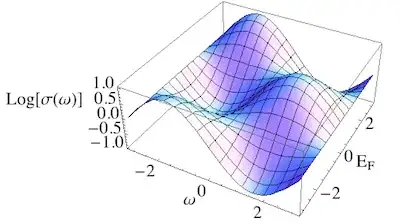
Is there a way to prevent ugly collision of axes labels and axes number like in the following examples, without the need of adding white space:

Plot1:

Plot3D[Sin[x] Cos[y], {x, -Pi, Pi}, {y, -Pi, Pi}, 
    AxesLabel -> {"ω", Subscript["E","F"], "Log[σ(ω)]"}, LabelStyle -> Directive[16]]
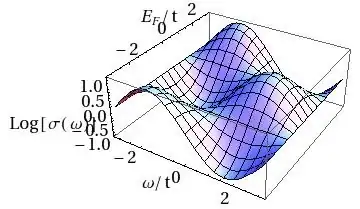
Plot1

To avoid this distant axes label "Log[$\sigma(\omega)]" one can rotate it, but then:

Plot2:

Plot3D[Sin[x]Cos[y],{x,-Pi,Pi},{y,-Pi,Pi},
    AxesLabel->{"ω",Subscript["E","F"],Rotate["Log[σ(ω)]",90 Degree]},
    LabelStyle->Directive[16]
]
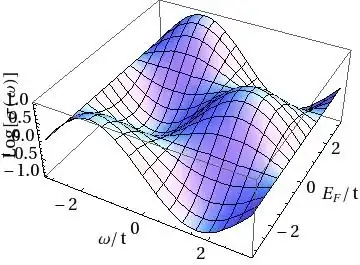
Plot2

I cannot imagine that using a 2-dimensional column with one element "Log[σ(ω)]" and the other a blank square is the only solution to cure Plot2. Is there a nice solution to prevent such an overlay?

pawel_winzig
  • 1,577
  • 1
  • 12
  • 21

1 Answers1

25

You could specify the option ImageSize ->600 (or something large enough to you taste). However, that would change the proportions of other parts of the plot, and you may not want that.

So instead I'd suggest adding some offset around the labels by using Framed as follows:

Plot3D[Sin[x] Cos[y], {x, -Pi, Pi}, {y, -Pi, Pi}, 
 AxesLabel -> {"ω", Subscript["E", "F"], 
   Framed["Log[σ(ω)]", 
    FrameStyle -> None, 
    FrameMargins -> 20
   ]}, 
 LabelStyle -> Directive[16]
]

framed

To see what this does in more detail, you could leave out the option FrameStyle -> None, or add the option Background -> Yellow to the Framed command.

LCarvalho
  • 9,233
  • 4
  • 40
  • 96
Jens
  • 97,245
  • 7
  • 213
  • 499