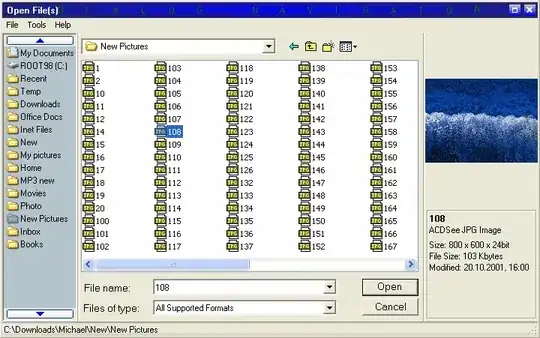
Possible Duplicate:
Change left side link of the Save As Dialog for a DropBox one?
Almost every time I use the standard Windows (XP) File Open/Save Dialog I get frustrated in how long it takes me to navigate to where I want to go. :-( (I won't even get into the MS Office dialog that makes things even worse)
This is the dialog I'm referring to (with some notes):
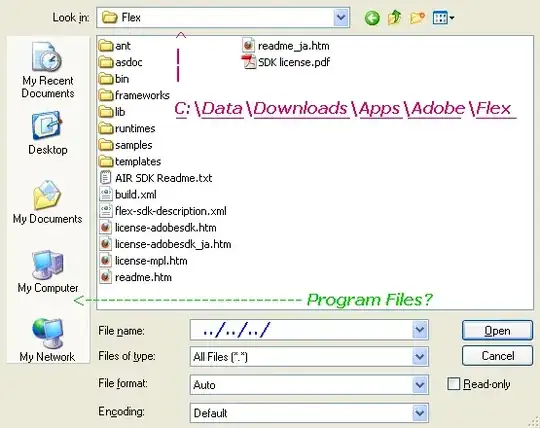
Notes:
- Wouldn't a Drive list be handy in here? C:\, D:\, E:\, etc.
- What about a breadcrumb URI? (the magenta list of links)
- Why isn't Program Files one of the icons on the left? (green) I'm always going in there for something
- Why can't I type "../../../" to navigate up multiple directories in the File name box? (blue)
- (addendum) The ability to force the default view to "details" vs. "list" would also be very handy
There has got to be some utilities out there that can "hijack" or "overwrite" this core windows dialog to provide a much better set of options.
I'm looking for any/all solutions to help fix this dialog.