7

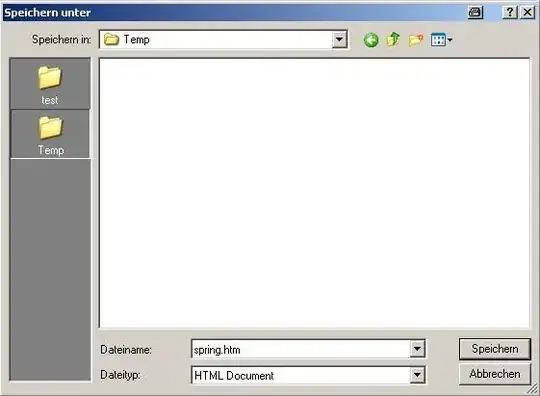
I would like to add a Link to my DropBox folder to the frequent locations pane in the Save As dialog. Is there a way to modify this screen?

See the screenshot below, I have highlighted the section where I would like to have a link to the DropBox folder.

save as dialog

Is this possible?

  • Althought this is a duplicate both belong to different authors and I am not convinced to merge them due to this. I have closed the other as a duplicate of this one since this one has an answer. – BinaryMisfit Sep 11 '09 at 11:19
  • @Daok: did you manage to change the dialog with TweakUI? – Peter Mortensen Mar 14 '10 at 23:28

3 Answers3

6

If it can be done, TweakUI from Microsoft will be the way.

and31415
  • 14,610
th3dude
  • 9,461
4

Ryan Gordon wrote a how to: Customize Open/Save As dialog boxes in Windows XP

Or simply create a Reg-File with something like that:

[HKEY_CURRENT_USER\Software\Microsoft\Windows\CurrentVersion\Policies\Comdlg32]

[HKEY_CURRENT_USER\Software\Microsoft\Windows\CurrentVersion\Policies\Comdlg32\PlacesBar]
"Place1"="e:\\piotrga"
"Place2"="e:\\piotrga\\tmp"
"Place3"="e:\\piotrga\\Download"

As you can see, you need to escape the "\". Hope it helps.

enter image description here

enter image description here

Gareth
  • 18,809
Milde
  • 1,139
  • +1 Thanks :) This answer is great but I have to accept the other one because it was "simpler". But yours if very complete. I do not understand why someone has downvoted you. – Patrick Desjardins Aug 27 '09 at 15:01
  • +1 thanks this advice solved my slow File Save As problem. An old offline server was hanging around on the LHS of the Save As dialog. Your answer showed me how to identify and fix. – hawbsl Jan 18 '11 at 10:39
0

I had the same thought. You can almost achieve what you want by using the already existing third item, "My Documents", named "Mes documents" in your example. It is directly off the desktop and can be renamed to anything you like. For instance I have named it "zzz" just to see the effect.

Open "My Documents" from the desktop (or in a Windows Explorer view) and put a shortcut to the DropBox folder (and maybe also the most often used folders) in it.

Now the DropBox folder (and other folders) can quickly be accessed from the Save As dialog. It only requires one more click (or a TAB.). Double clicking (or ENTER) on a folder shortcut will change to that folder in the dialog without the need to drill down to it.

Here is what it looks like on my system:

alt text

Gareth
  • 18,809